The Essential Guide for LIVE Beginners
Congratulations on Obtaining Live Permissions! 🎉
Now, unleash your creativity and earn ZEMs💎 through live streaming.
First Step: Going LIVE
⏰ LIVE Stream Available Time Slots
Country | Available Time Slots |
|---|---|
South Korea/Japan (GMT+9) | Available 24/7 |
USA (GMT-4) | Available 24/7 |
Indonesia (GMT+7) | 12:00 pm - 03:00 am |
Thailand (GMT+7) | 13:00 pm - 03:00 am |
France (GMT+1) | Available 24/7 |
Taiwan (GMT+8) | 15:00 pm - 00:00 am |
- Press the LIVE button((•)) in a place with a smooth internet environment to start streaming!
- Please write a title and announcement. In the announcement, you can share room rules or missions.
- All streams must adhere to the ZEPETO's Community Guidelines and LIVE Stream Rules. Please review and keep these rules in mind to avoid suspension of your account.
LIVE Tips: How to Build a Successful Live
💡 TIP 1 Announcing Your stream Schedule
▶ Set up a regular streaming schedule and post it on your profile. When you stream at the scheduled time, your audience will be ready!
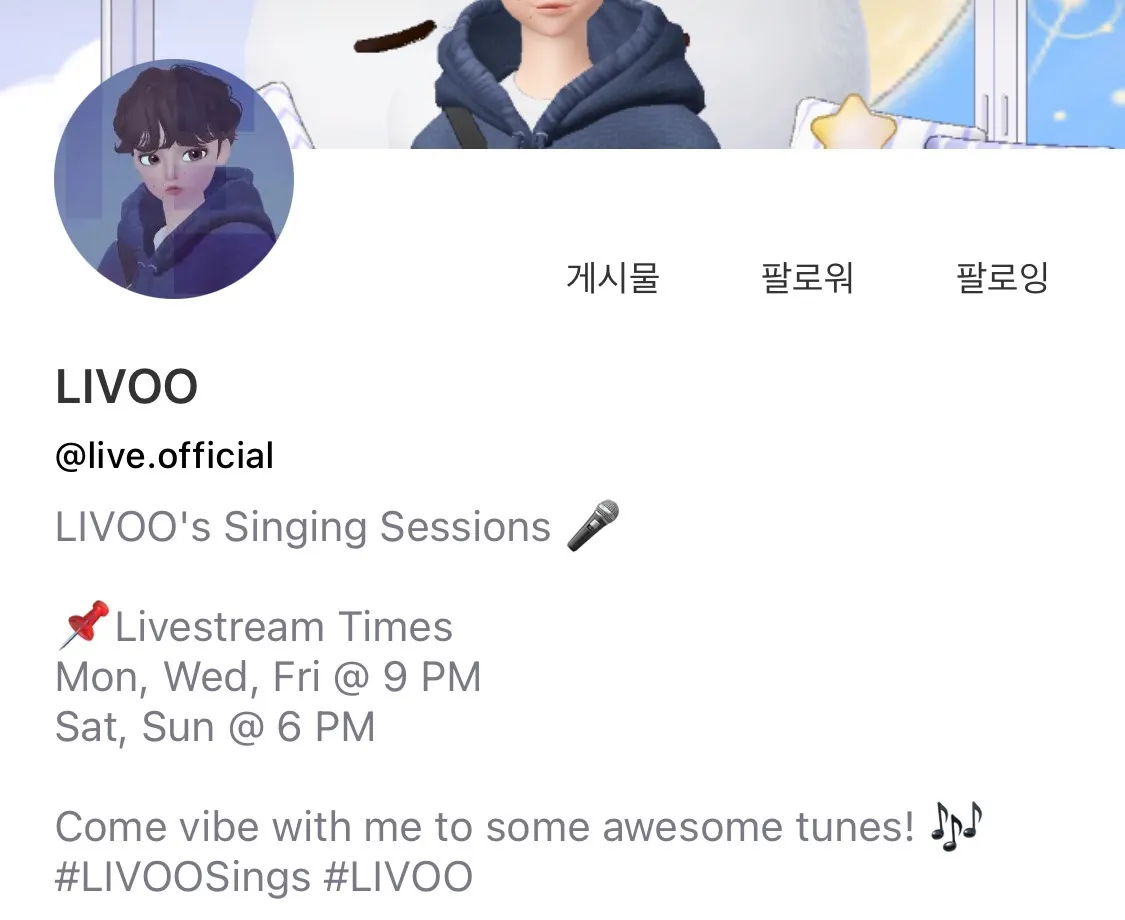
💡 TIP 2 Recommended stream Times
▶ While streaming at times convenient for you is important, consider streaming during peak viewing hours when many viewers are likely to tune in. Try to maintain your stream for at least 30 minutes. The longer viewers stay tuned in, the better!
We've researched peak viewing hours by country, so utilizing this information to schedule your streams can be a great strategy.
🌍 Peak Times by Country
Country | Peak Time |
|---|---|
South Korea (GMT+9) | 20:00 pm - 21:00 pm |
Japan (GMT+9) | 20:00 pm - 21:00 pm |
USA (GMT-4) | 19:00 pm - 20:00 pm |
Indonesia (GMT+7) | 19:00 pm - 21:00 pm |
Thailand (GMT+7) | 18:00 pm - 21:00 pm |
France (GMT+1) | 18:00 pm - 19:00 pm |
Taiwan (GMT+8) | 21:00 pm - 22:00 pm |
💡 TIP 3 Preparing Your Content
▶ Plan ahead and prepare your streaming content.
While it's awesome to engage viewers with unique topics, if you're unsure about what to stream, watching other creators' streams and learning from them can be helpful. Setting up stream titles based on prepared topics alone can catch viewers' attention!
Explore different live ideas to see which ones fit your style best.
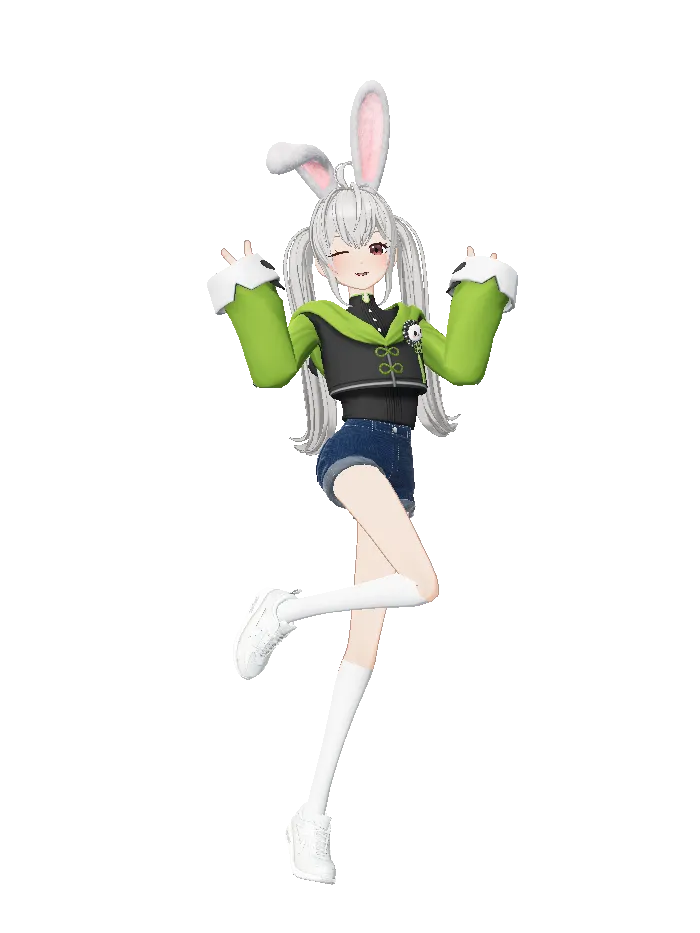
🎮 Recommended Gaming streamer - WHAMsabi

👗 Recommended Fashion streamer - 🍒 Cherry 🍒

💬 Recommended Counseling streamer - Violeta
💡 TIP 4 Engage with Your Viewers
▶ Communication with viewers is crucial!
Encourage viewer participation through active engagement during streams. Greet them, answer questions, respond to comments, and add your own reactions to create an entertaining stream. Always consider what viewers want and tailor your streams accordingly; this will attract more fans.
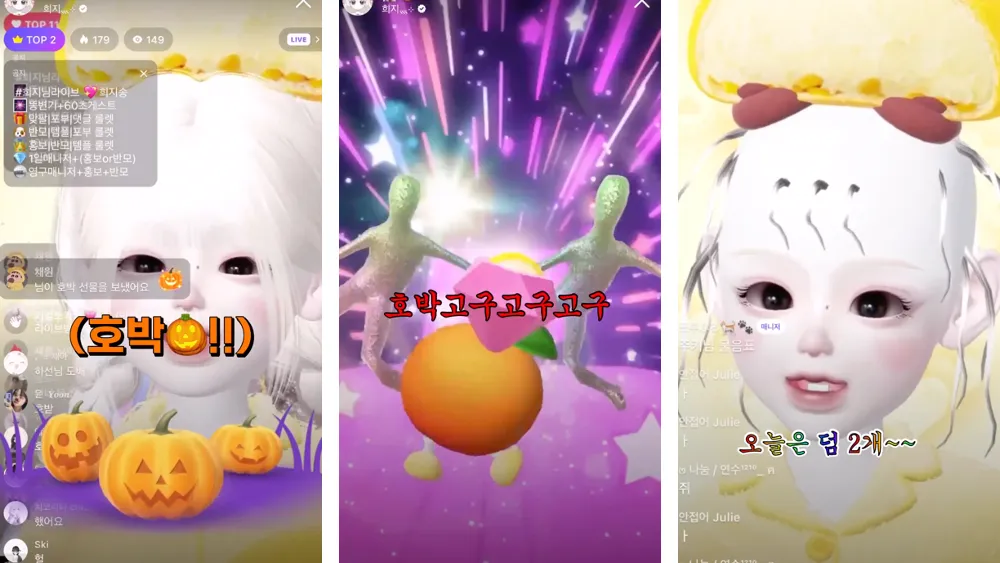
🎉 Reaction Example to Donations - [Heezy]
(Video Description: Heeji, receiving a pumpkin item gift from a viewer, dances, wears funny makeup, and expresses gratitude)
▶ Show Gratitude to Your Viewers!
It's natural to express gratitude to viewers who come to watch, leave positive comments, and send gifts! Expressing gratitude not only during live streams but also through posts and messages after the stream can help viewers better understand your warm-heartedness. Don't forget to convey your thanks to viewers for spending a good time together!
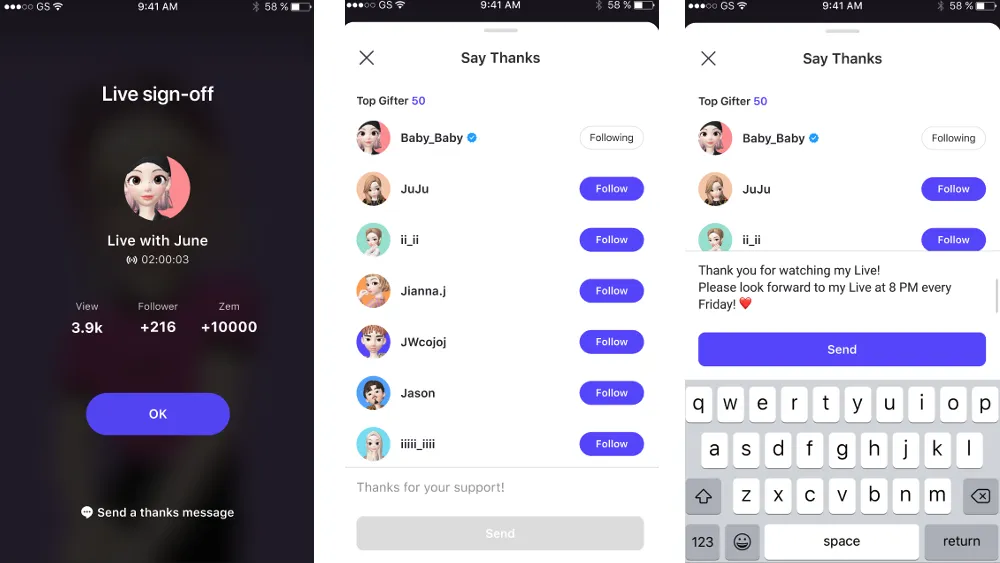
💡 After ending a stream in the ZEPETO mobile app, pay attention to the bottom of the screen.
By clicking on the text [ 💬 Send a thank you message! ], you can send a thank-you message to viewers!
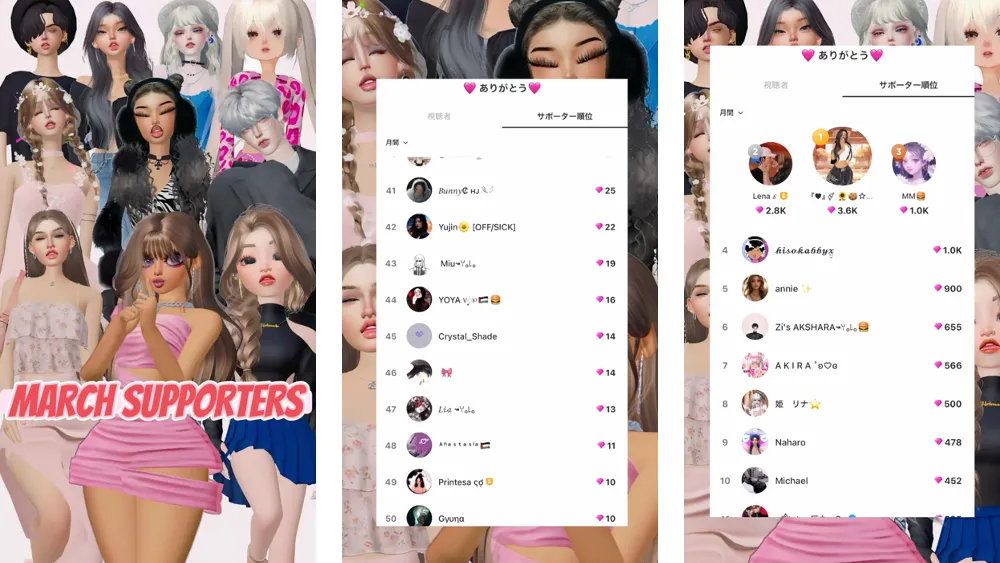
💗 Feed example for sponsors - [ R A C H ]
▶ Create a ZEPETO Club to Expand Communication with Viewers!
Wouldn't it be great to have a space where viewers can gather and chat even when you're not streaming? Create a ZEPETO Club to bring together viewers, and share rules and programs to make club activities more active. Sharing your stream schedule is essential!
If you want to learn more about ZEPETO Clubs, visit the guide below.
💬 ZEPETO Club [ Guide ]
💡 TIP 5 Actively Utilize Your Feed
▶ Create clips of interesting moments and upload them to your feed! By doing so, you can share highlights of your streams and build anticipation for the next one.
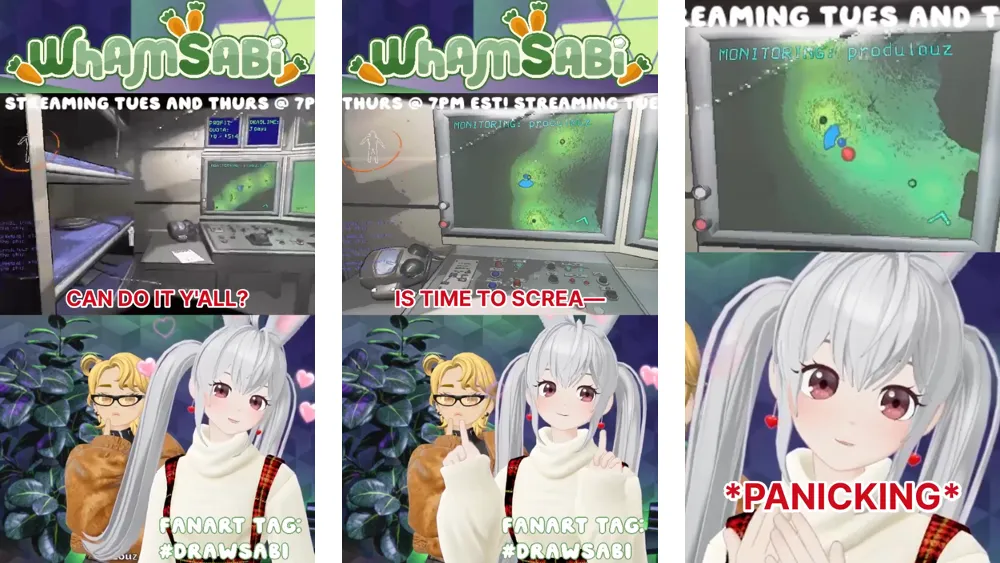
🌟 Highlight Example - [ WHAMsabi ]
▶ Announce your stream schedule on your feed! You'll attract more viewers to the next stream than before👀
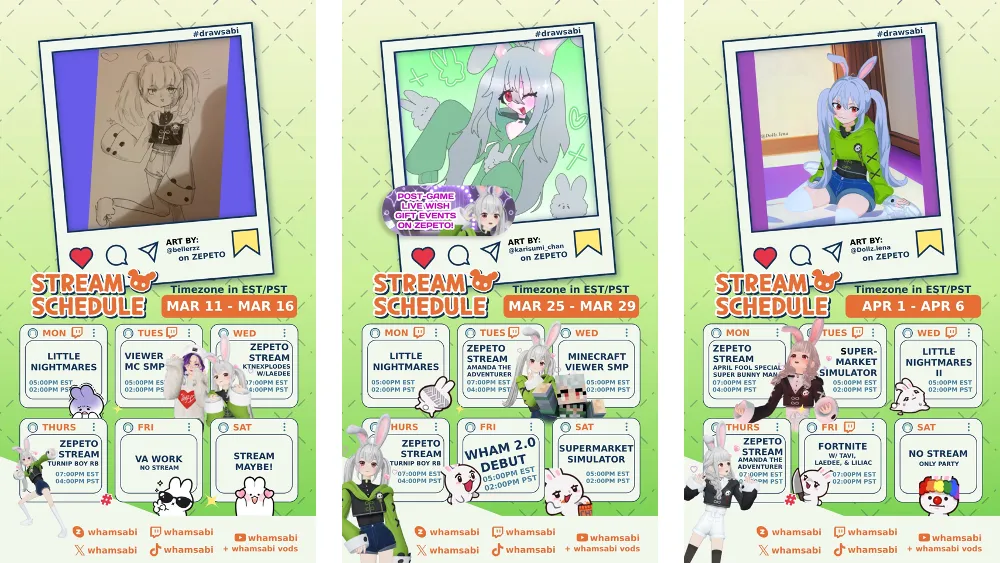
🗓️ Stream Schedule Example - [ WHAMsabi ]
🖼️ Recommended Optimization Methods for Feed Production
Type | Recommended Method |
|---|---|
Feed Size | 1024*1820 |
Frame Rate | 29.7 or 30 |
Editing Style | When uploading videos, leave space on the sides for editing as they will be cut off. |
Subtitle Handling | Please ensure that subtitles do not obstruct the default UI of ZEPETO. |
💡 TIP 6 Utilizing the ZEPETO LIVE PC Program
▶ Using the ZEPETO LIVE PC program allows for a wider range of streams. How about trying gaming streams with your viewers? Watching fun videos together with viewers can also be enjoyable!
Download the ZEPETO LIVE PC program and start streaming with the guide!
If the links above aren't clickable and you can't download the file, please copy and paste the following URLs into your browser's address bar to download the program:
💡ZEPETO LIVE PC Program [ Guide ]
💡 TIP 7 Synchronizing with Your Manager
▶ By syncing well with your manager, you can create a smoother and more communicative broadcast.
Curious about the role of a manager and the qualifications of a good manager? Click on First Steps to Becoming a Live Manager!
Studio Tips: How to Be a Smart Creator
👍 TIP 1 Withdrawing ZEM Revenue
- You can withdraw ZEMs received as gifts during live streams if they amount to 5,000 ZEMs or more.
- If you're still unsure, follow the guide below.
👍 TIP 2 Utilizing Live Statistics and Insights
- You can plan your streams more effectively by utilizing the statistics and insights provided by ZEPETO Studio.
- You can view statistical data for your live streams by going to Studio Console > Content > Live.
- You can view insights for your live streams by going to Studio Console > Insights > Live.
- If you're still unsure, follow the guide below.
👍 TIP 3 Explore Overall Live Trends
- Check out the trends provided by ZEPETO Studio. You can gain new inspiration from global live creators!
- You can see popular live creators in Studio Console > Studio Trends > Live.
- If you're still unsure, refer to the guide below.
Hands-on: Let's Go Live!
Are you ready to show off your creativity on ZEPETO LIVE?
Alright, it's time to start! Turn on your live stream right now and showcase your fantastic activities as a creator!