3D Texture Optimization Guide by Category
ㅣ✔️ Compliance with POT (Power of Two) specifications
- Recommendation for Power of 2 resolution
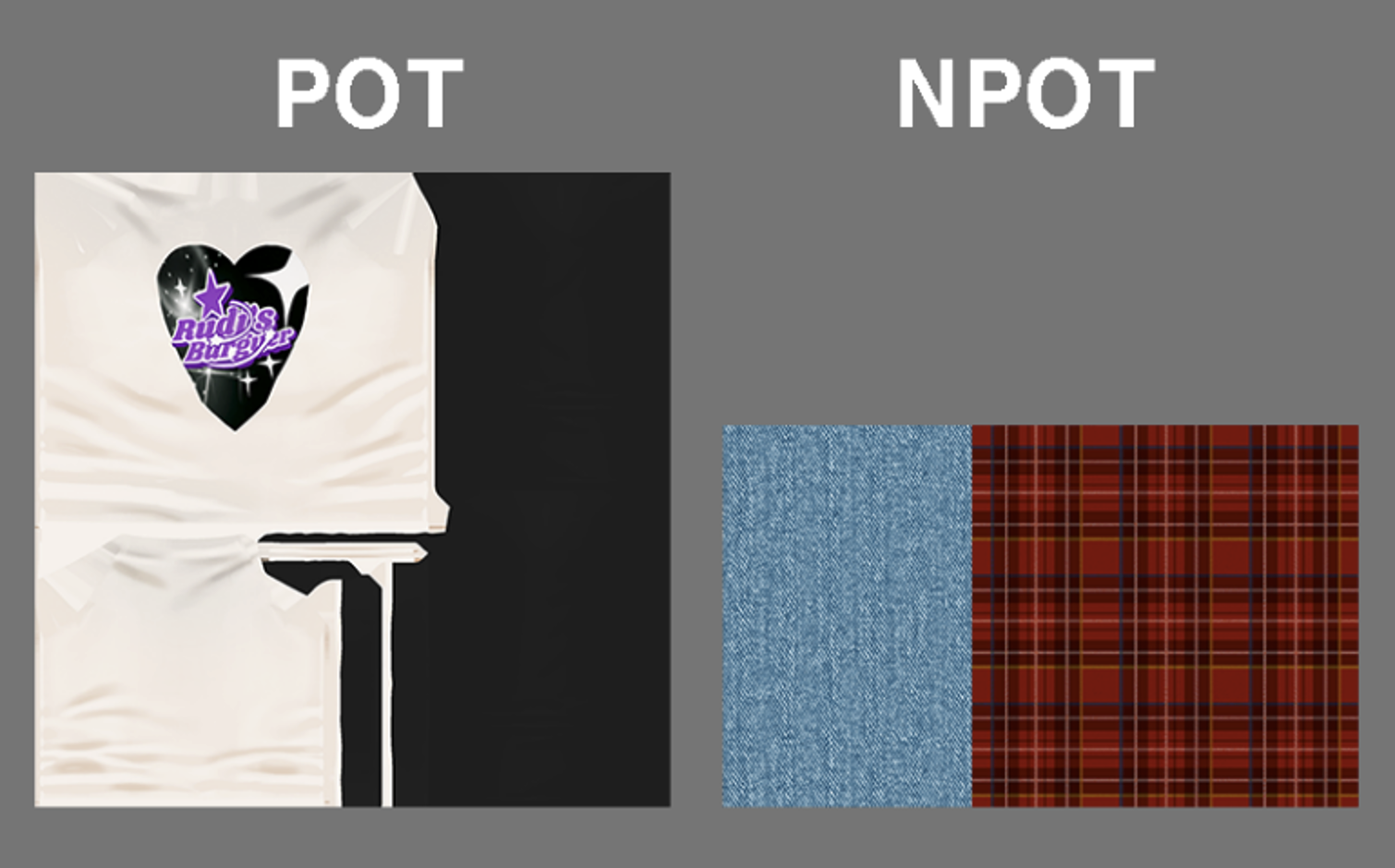
It is recommended that all texture assets within the platform satisfy the Power of 2 standard (256×256 or 512×512) for their horizontal and vertical resolutions in order to optimize hardware acceleration.
- Recommendation to avoid using NPOT
If you use images that are not powers of two (NPOT), the GPU will internally convert the image to the nearest power-of-two size and copy it to memory, which can result in double the memory usage.
ㅣ✔️ Consistent Texture Density and UV Layout
- Uniform Resolution Distribution
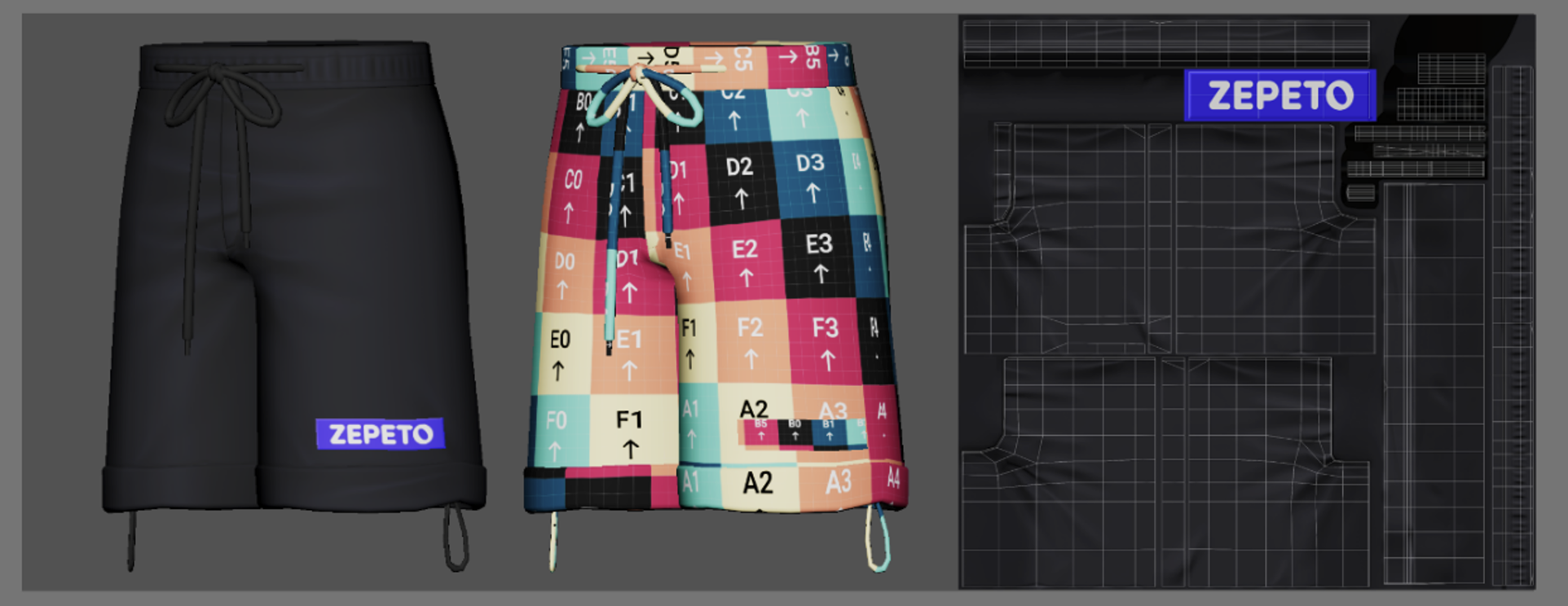
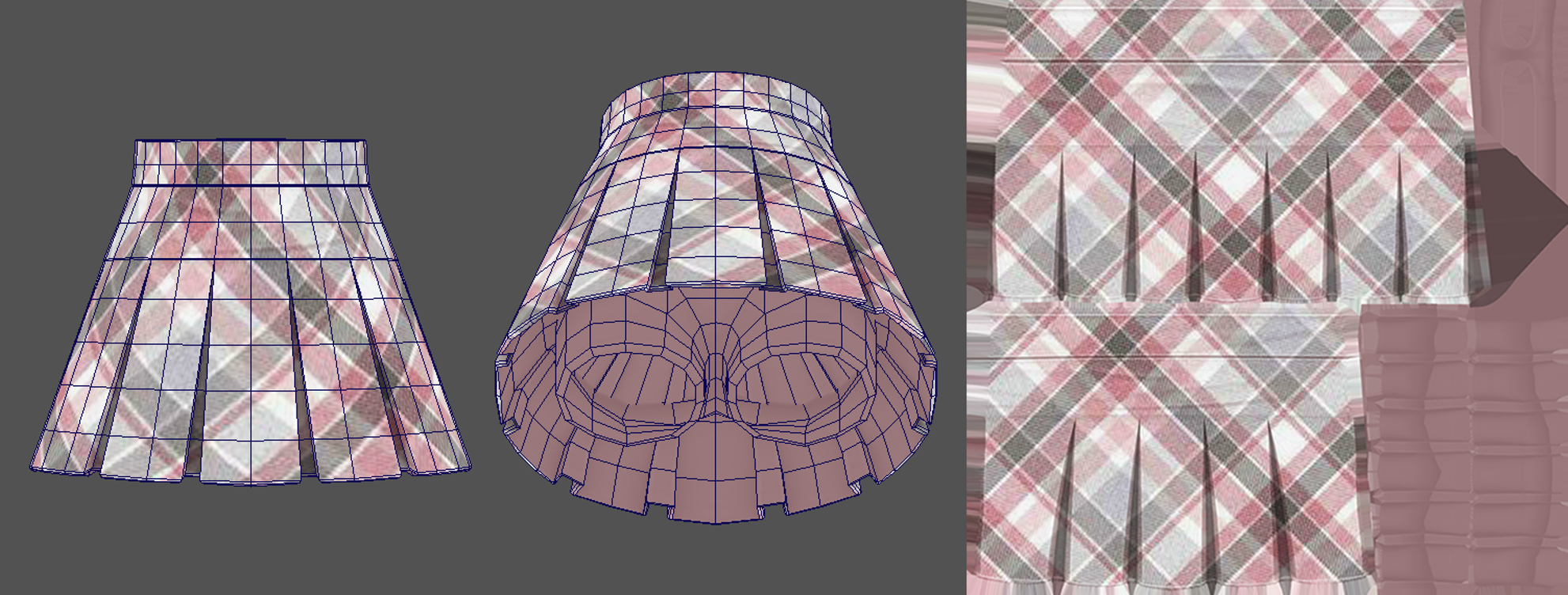
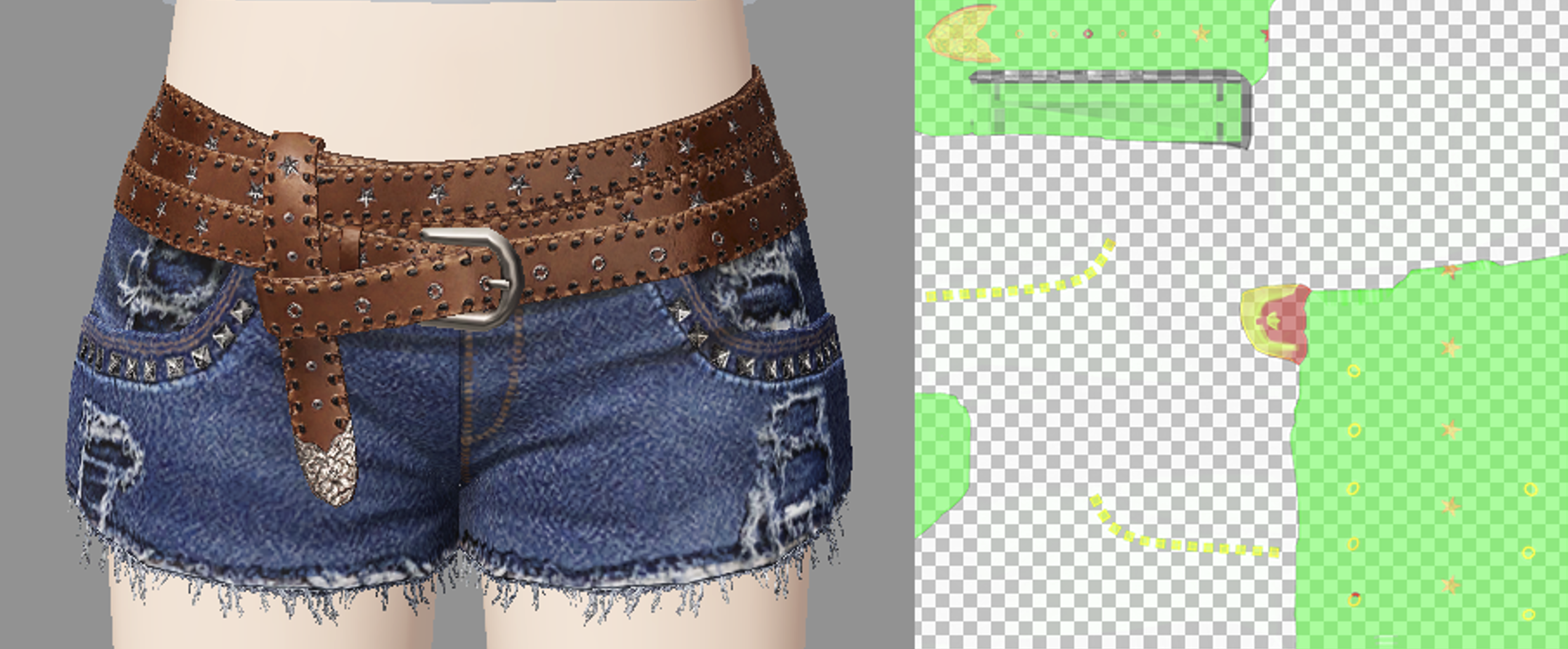
You must prevent situations where specific areas appear particularly pixelated or blurry when an avatar is wearing clothing. To do this, please maintain a uniform “Texel Density” across the entire asset. The ratio between the actual surface area of the 3D model and its size on the UV map must be consistent to ensure that the image remains uniformly sharp in-game without distortion in any area.
- Applying Visual Priorities
Allocate a larger UV area for detailed sections that require high resolution, and optimize the UV area by reducing it for less visible areas such as the bottom or lining.
ㅣ✔️ One texture per category is allowed
💡 The '1 texture' standard specified in the guide does not mean limiting the use to 1 Base Color, and you can utilize Diffuse, Normal, Channel Map, etc. respectively. ZEPETO's texture review standard is not the number of images but 'total capacity of 1MB or less(1MB = 1024KB)', so if it is within the 1MB capacity, you can adjust the resolution and use a combination of multiple textures. Similarly, auxiliary maps of the Toon Shader (Normal Map, Shadow Threshold, Mask, Emission, etc.) can also be used if they are included within the overall 1MB capacity limit.
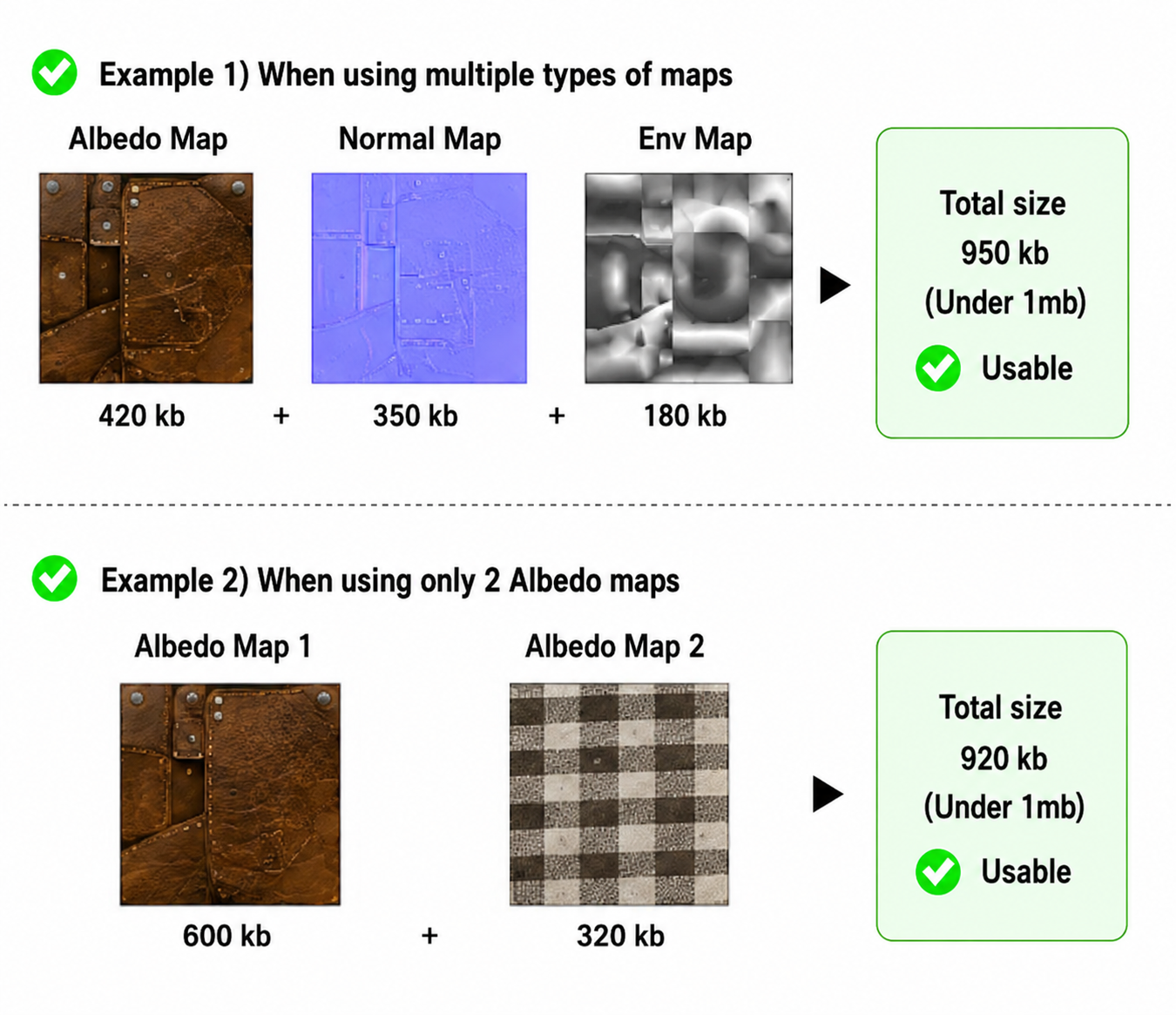
- The maximum size of 1 texture is 512x512. It is recommended to avoid using 1024.
- Texture size is calculated based on the area (number of pixels) in both the horizontal and vertical directions.
- 512 × 512 = 262,144 pixels
- 1024 × 1024 = 1,048,576 pixels (exactly 4 times 512)
Although the numbers appear to be only double, the data traffic and capacity that the 3D engine and smartphone graphics memory (VRAM) must handle skyrocket to four times the original amount. Even when using the compression plugin , the fourfold difference in memory usage remains unchanged.
- The maximum resolution of 512 maximizes data transmission efficiency, allowing even users with poor network conditions to enjoy the game smoothly.
- Smartphone screens are much smaller than PC monitors or TVs. On a small screen, the actual pixel area occupied by the top or bottom your avatar is wearing isn’t very large.
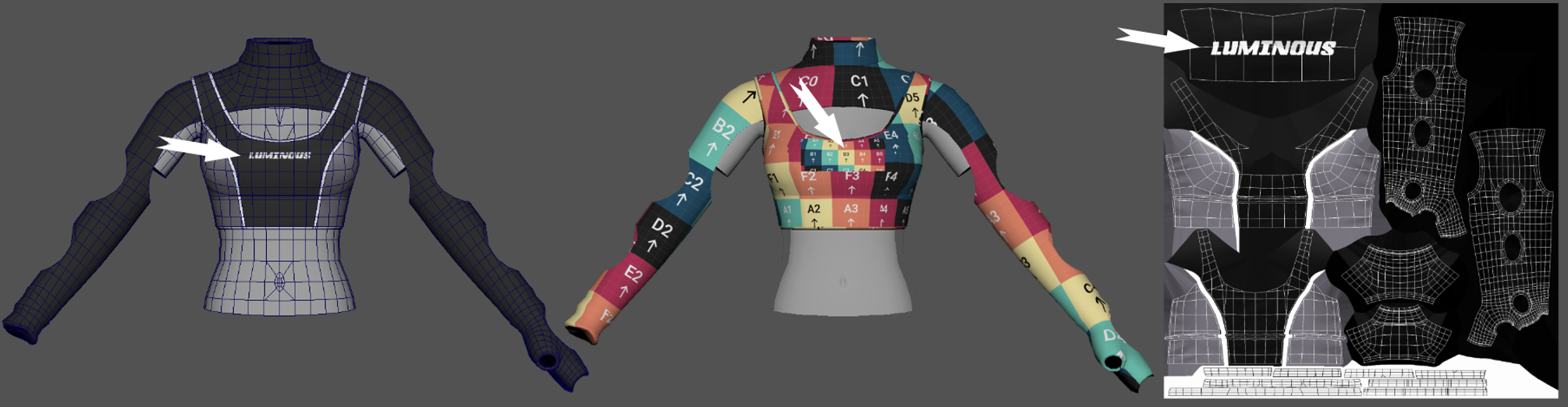
- If you’re worried about a drop in image quality, you should utilize “Texel Density” instead of increasing the texture size. By boldly reducing UV space in areas that aren’t visible—such as linings or the bottom of garments—and allocating UV space to detailed areas like logos and buttons through effective “visual priority allocation,” you can create sharp, high-quality outfits even at a 512 resolution.
ㅣ✔️ DR (Single Outfit) Category Exception
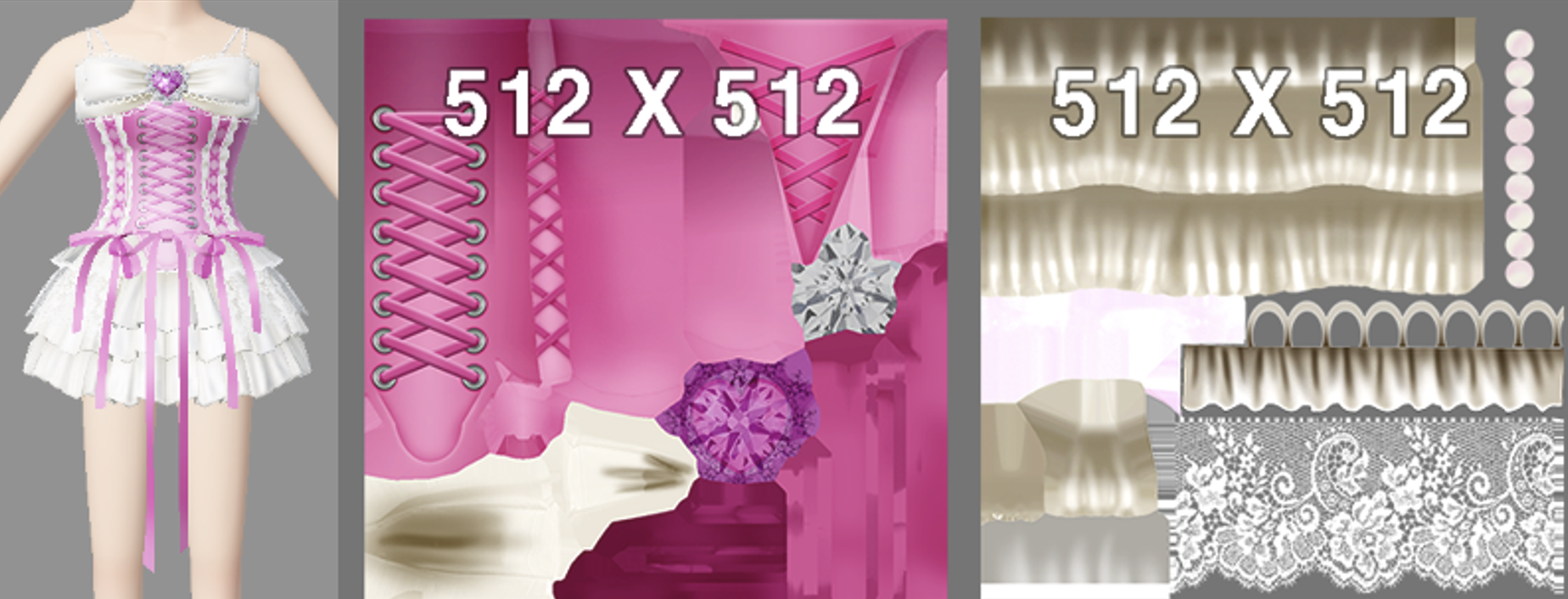
- Two Textures Allowed
For the Single Outfit (DR) category only, you may use up to 2 textures with a resolution of 512×512.
ㅣ✔️ Shader & Material Optimization
- Material Limit
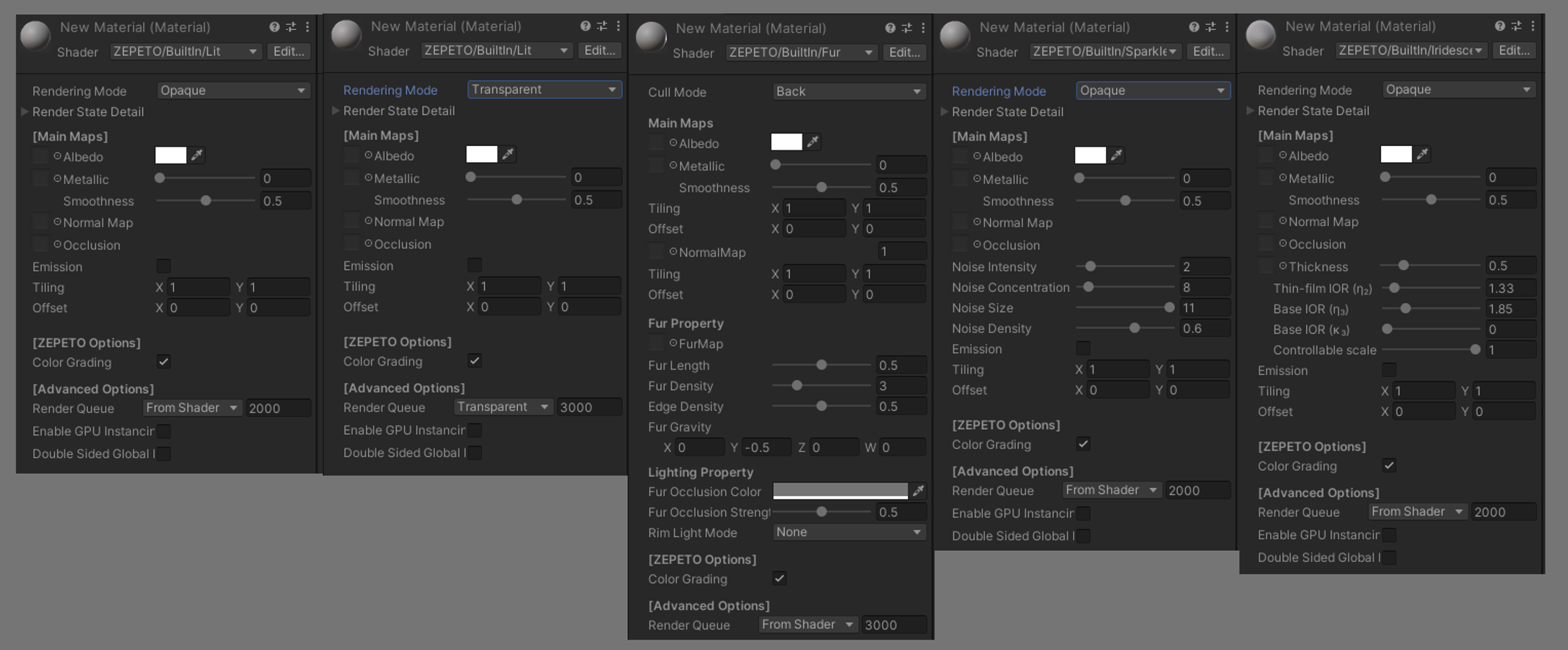
It is recommended to use a maximum of 1 Material for each category Asset submitted. For the DR (Dress) category, where a maximum of 2 textures can be used, a maximum of 2 Materials can be used. It is recommended to use 1 Material as a default, and please use additionally only when using Shaders with different properties, such as Transparent or Fur.
- Recommendation to avoid using Materials per material type
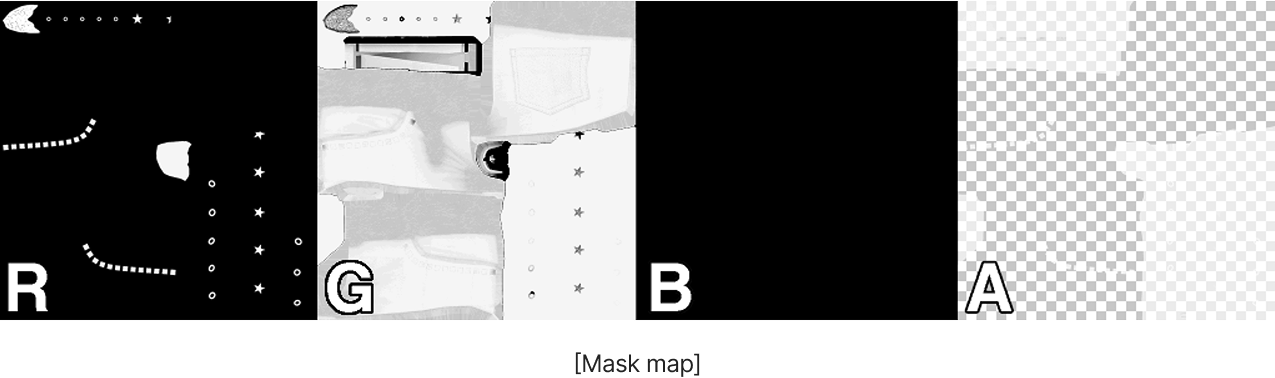
It is recommended to avoid using a Material for each material type. For various material types that do not have different properties (transparency, fur, etc.), please represent the texture using a Channel Mask map. Please use the Metallic, Smoothness, and Ambient Occlusion Texture RGBA Channel map to represent the texture.
Channel | Packed Data | Description |
|---|---|---|
Red | Metallic | The closer the value is to 1 (White), the more metallic it is; the closer it is to 0 (Black), the more non-metallic it is |
Green | Ambient Occlusion (AO) | Rendering of structural shading and fixed shadows in recessed areas |
Blue | X | x |
Alpha | Smoothness | Control the smoothness of the surface |
ㅣ⚠️ Reason for recommending the optimization guidelines
When testing a single Asset in a local environment, the impact of minor Blendshape data or a Texture resolution exceeding the guidelines on system performance may seem minimal. However, we kindly ask you to also consider that ZEPETO is a 'real-time multi-platform environment' where numerous users participate simultaneously in a virtual space.
- Cumulative Increase in 3D Resource Computation Load
- Data replication and multiple loading loads: Assuming 30 players enter a single world and each avatar wears an average of 5–6 parts (clothing, hair, accessories, etc.), the number of independent asset data sets that must be processed in real time on a single screen reaches the hundreds.
- Cumulative overhead: A slight overspecification that a single creator compromises on is amplified hundreds of times as it passes through many players, placing a load on the system while the app is running.
- Exceeding system thresholds and hardware bottlenecks
- Overall Performance Degradation: When individually minor factors—such as an increase in draw calls, VRAM waste due to uneven texel density, and complex pixel shader calculations—accumulate in a single space, they instantly exceed the mobile device’s threshold.
- Excessive computation causes extreme overheating and rapid battery drain on mobile devices, resulting in critical frame lag throughout Zepeto.
- App forced to close due to OOM (Out Of Memory)
- Fatal system crash: Among system resources, an overflow of memory (RAM/VRAM) does not simply result in frame drops that slow down the screen.
- The moment available memory is exceeded, the mobile operating system (iOS/Android) forcibly terminates the Zepeto app process entirely (crash) to protect the device. This is the most critical cause of failure, destroying service reliability and the user experience.
Optimization is a technical courtesy that fosters mutual growth within the virtual ecosystem. The category-specific data limit specifications provided by Zepeto Studio are not regulations intended to restrict creators’ artistic expression. They are minimal technical safeguards designed to build a comfortable runtime environment that accommodates all users, including those using low-spec mobile devices, and to ensure that creators’ high-quality assets run stably in-game at their intended quality without distortion or bugs.
Note) Category-specific data for item optimization
All data is based on the maximum limit.
*All categories are based on 1 texture map, except for DR (One-piece).
| | Max Triangle Count (Tris) Recommended / MAX | Max Texture Resolution (Map size) Recommended / MAX | Max Material (Additional shaders allowed per attribute) |
|---|---|---|---|---|
DR | One-piece outfit | 10,000 | 512x512 (2 images) | 4(Recommended) |
TOP | Top | 6,000 | 512x512 | 3(Recommended) |
OTR | Outerwear | 6,000 | 512x512 | 3(Recommended) |
BTM | Pants, Skirts | 5,000 | 512x512 | 3(Recommended) |
SOX | Socks | 3,500 / 4500 | 256x256 / 512x512 | 3(Recommended) |
SH | Shoes | 4,000 | 256x256 / 512x512 | 3(Recommended) |
F_HAIR | Women's Hair | 10,000 | 256x256 / 512x512 | 3(Recommended) |
M_HAIR | Men's Hair | 10,000 | 256x256 / 512x512 | 3(Recommended) |
HEADWEAR | Headwear | 4,000 | 256x256 / 512x512 | 3(Recommended) |
SHOULDER | Shoulder | 5,000 | 512x512 | 3(Recommended) |
GLASSES | Glasses | 2,000 | 256x256 / 512x512 | 3(Recommended) |
BRACELET | Bracelet | 2,000 | 256x256 / 512x512 | 3(Recommended) |
NECKLACE | Necklace | 2,000 | 256x256 / 512x512 | 3(Recommended) |
EARRING | Earrings | 2,000 | 256x256 / 512x512 | 3(Recommended) |
BAG | Bag | 4,500 | 256x256 / 512x512 | 3(Recommended) |
GLOVE | Glove | 4,500 | 256x256 / 512x512 | 3(Recommended) |
RING | Ring | 2,000 | 256x256 / 512x512 | 3(Recommended) |
NAIL | Nail Art | 1,500 / 2000 | 256x256 / 512x512 | 3(Recommended) |
EYEMASK | Mask | 3,000 | 512x512 | 3(Recommended) |
WING | Wing | 4,000 | 512x512 | 3(Recommended) |
MASK | Special Face Shapes | 5,000 | 512x512 | 3(Recommended) |
BODY | Special Body Types | 10,000 | 512x512 | 3(Recommended) |
TAIL | Tail | 2,000 / 3000 | 256x256 / 512x512 | 3(Recommended) |