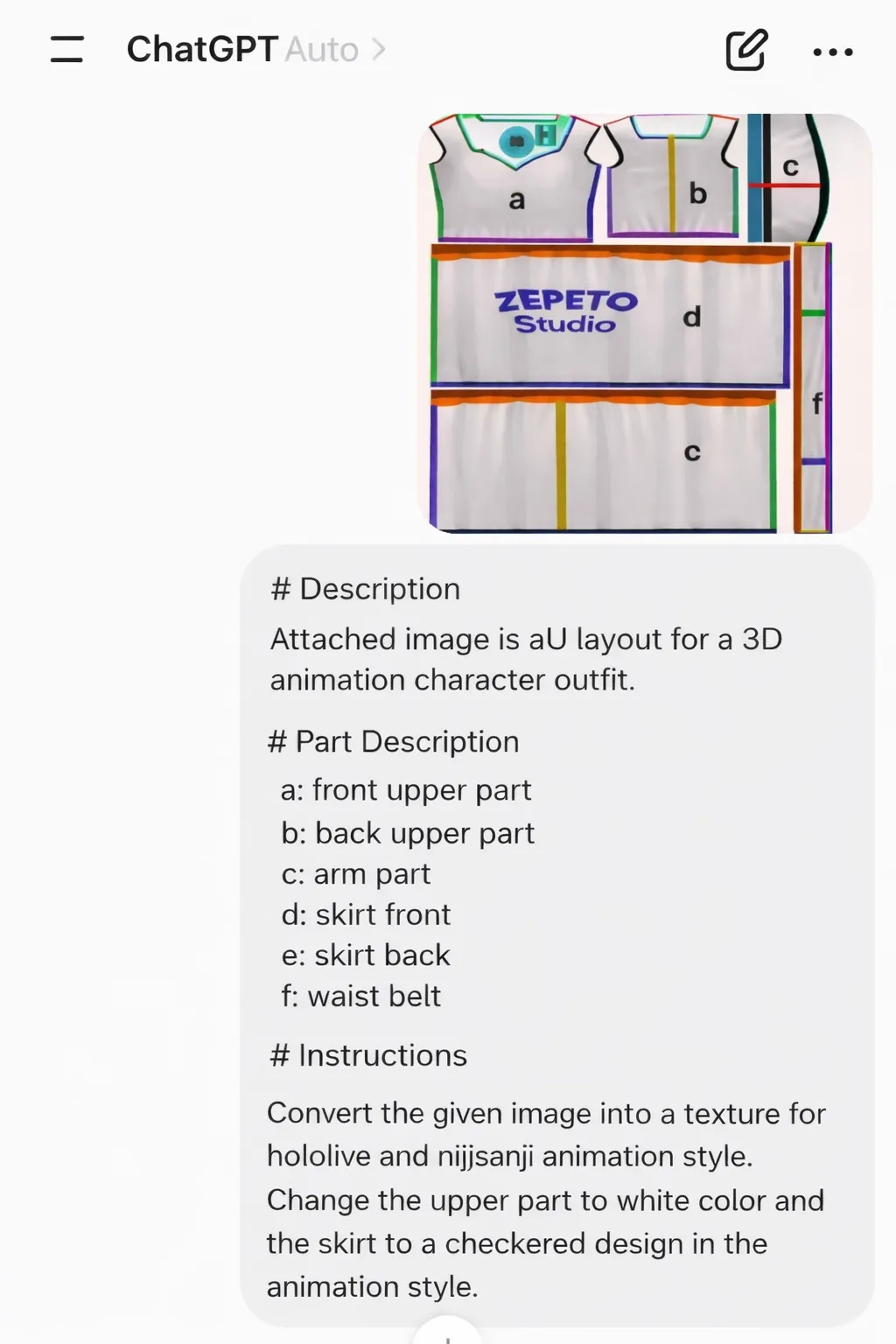
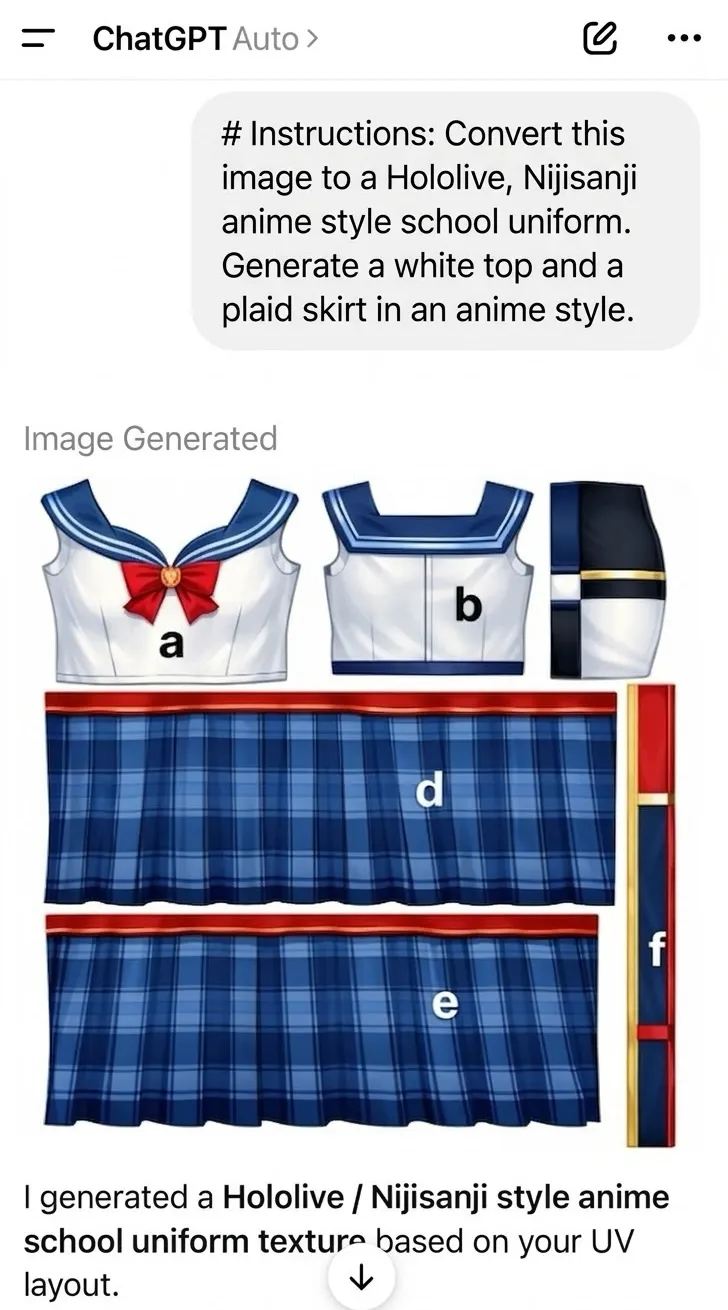
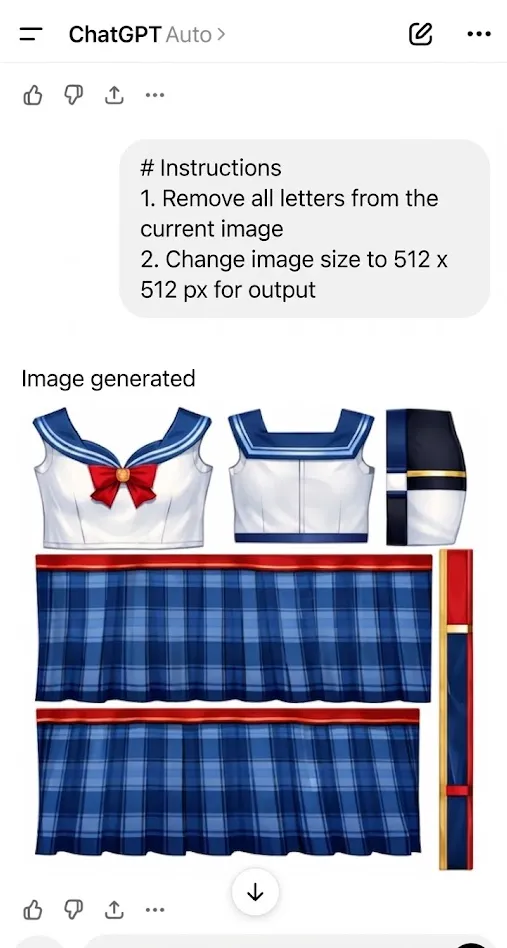
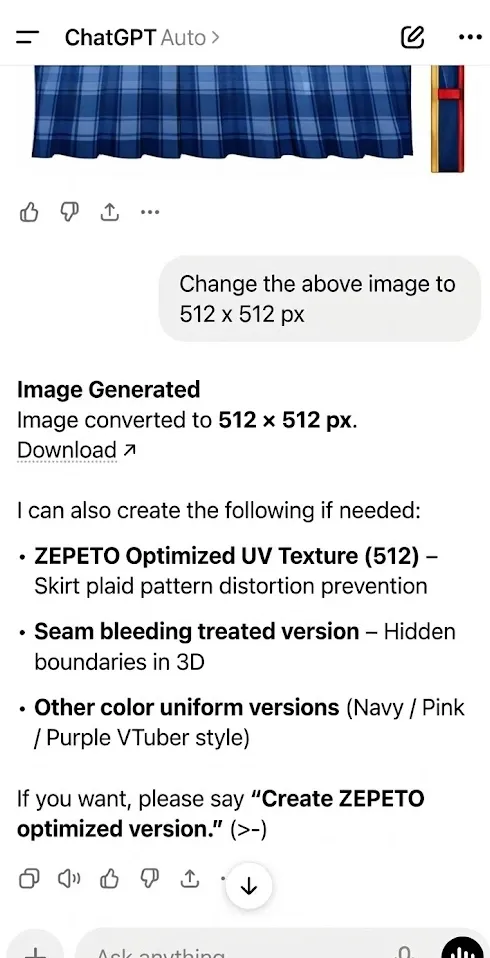
CREATING ITEMS USING THE TEMPL...
Creating AI Items with ChatGPT
23 min
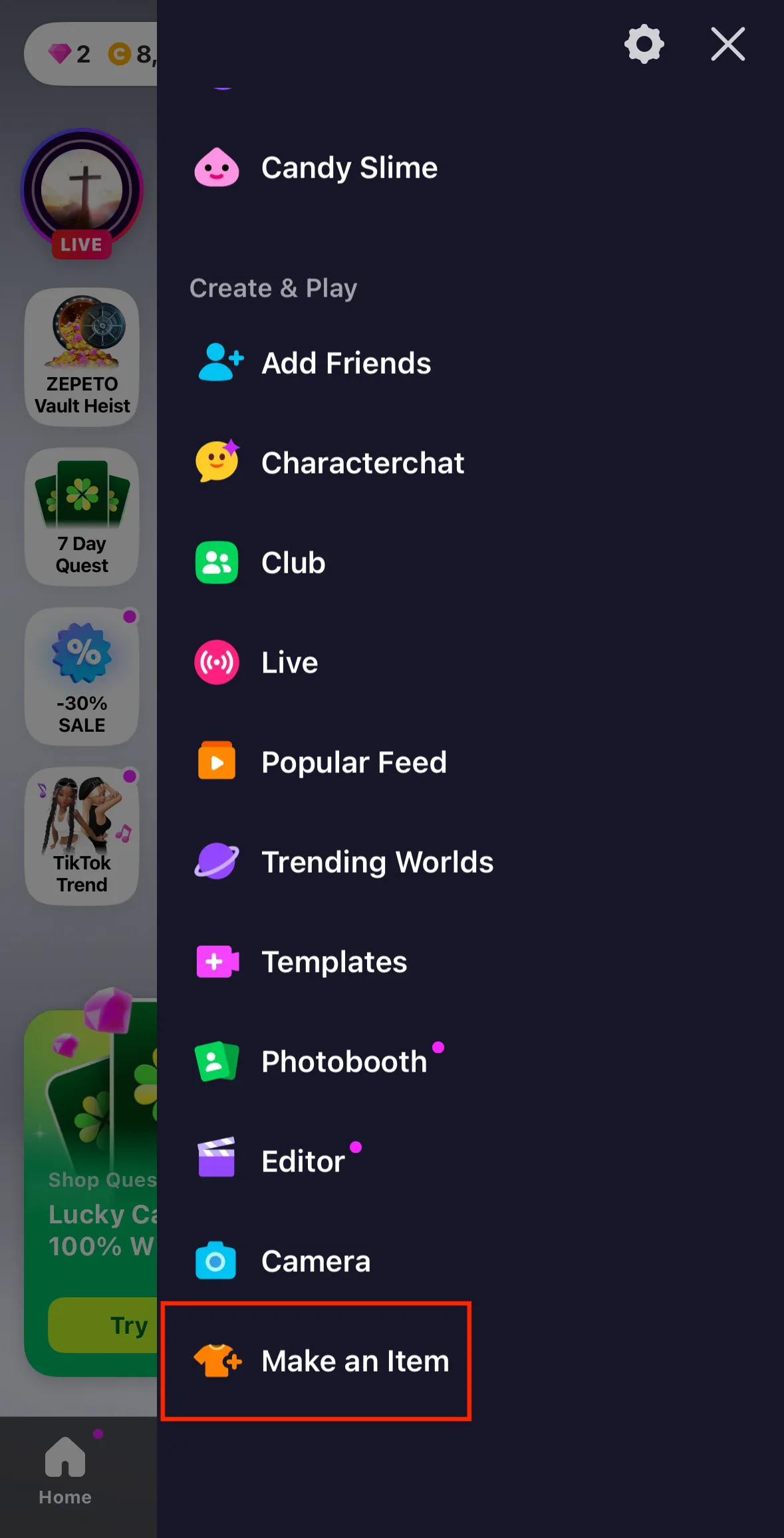
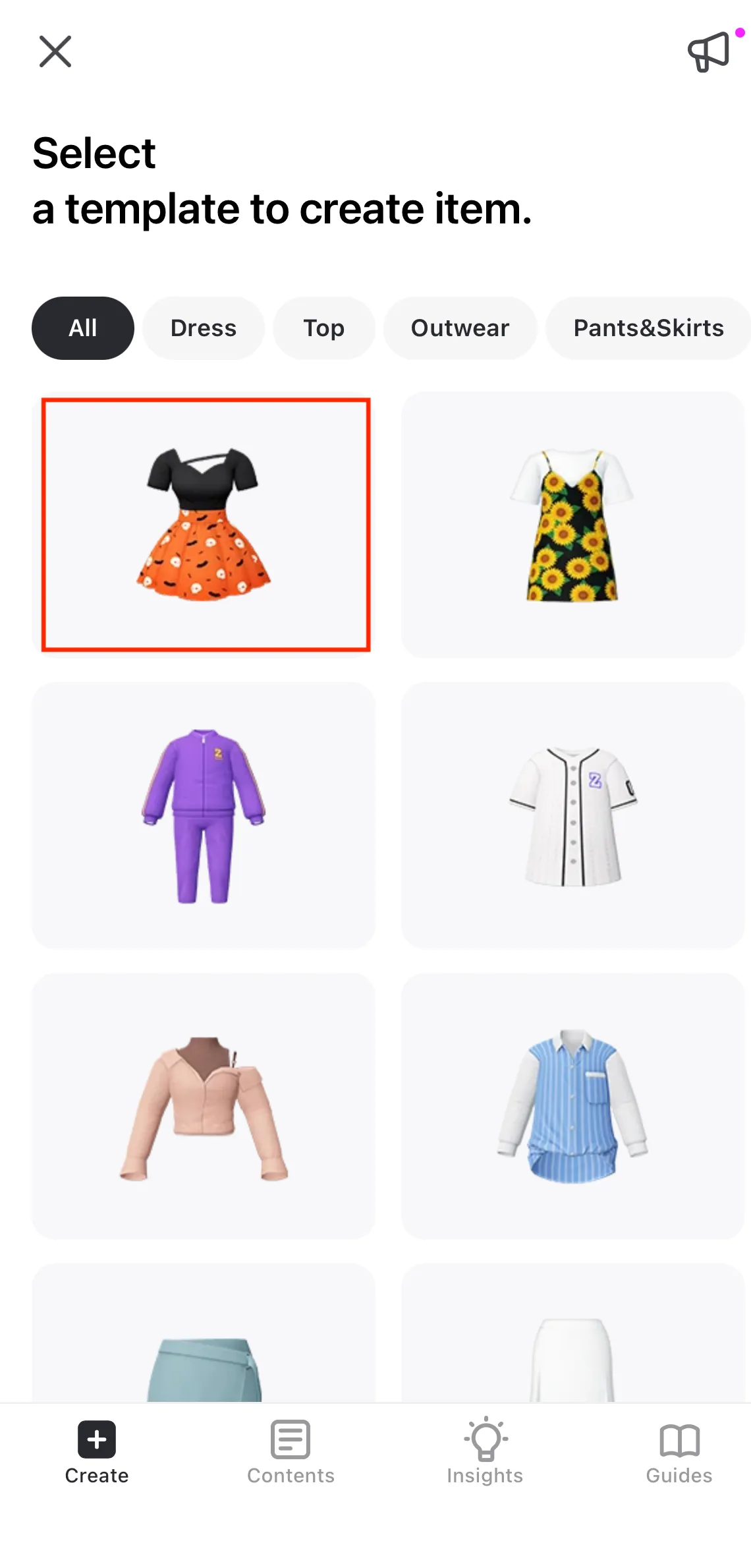
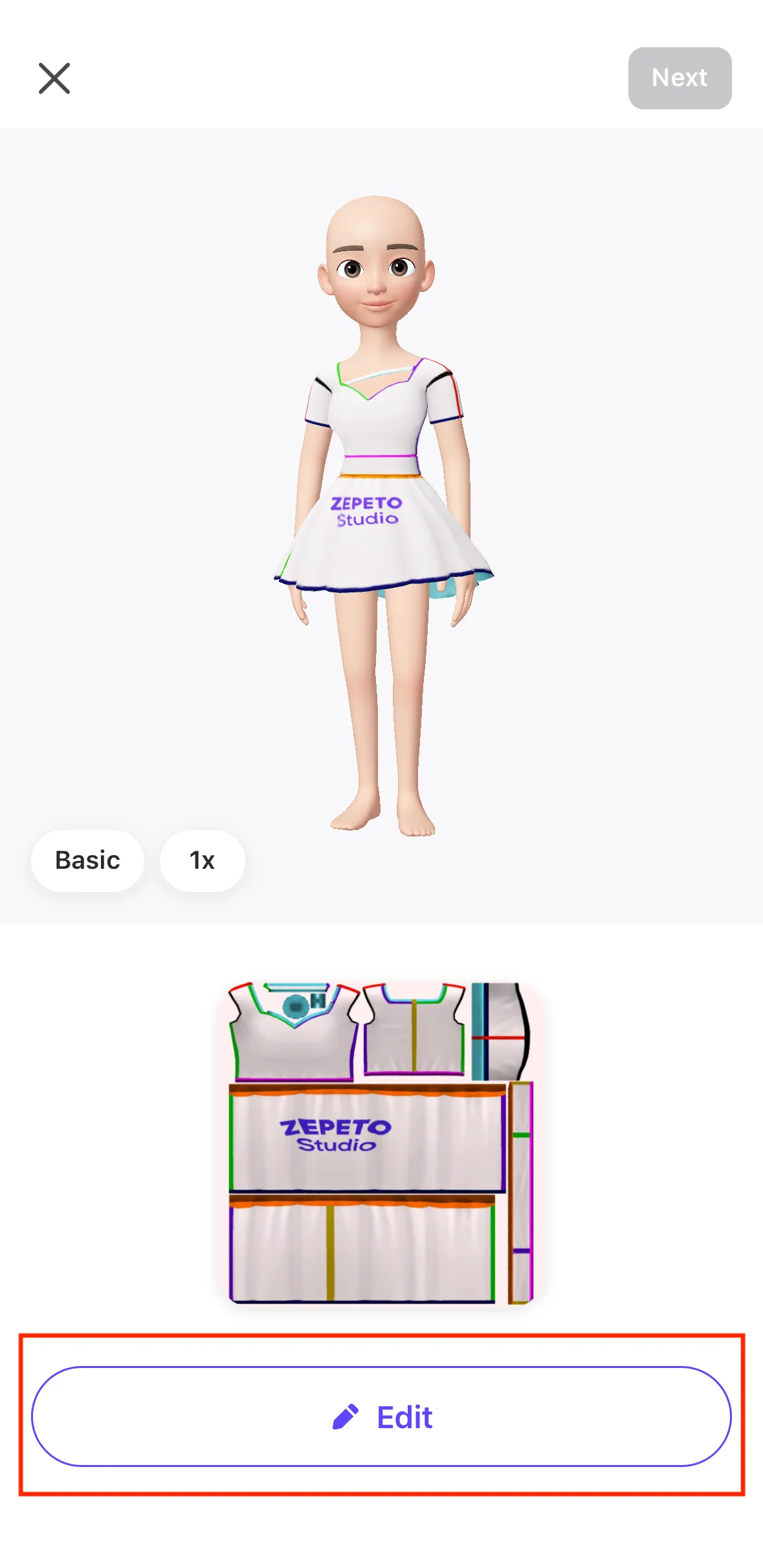
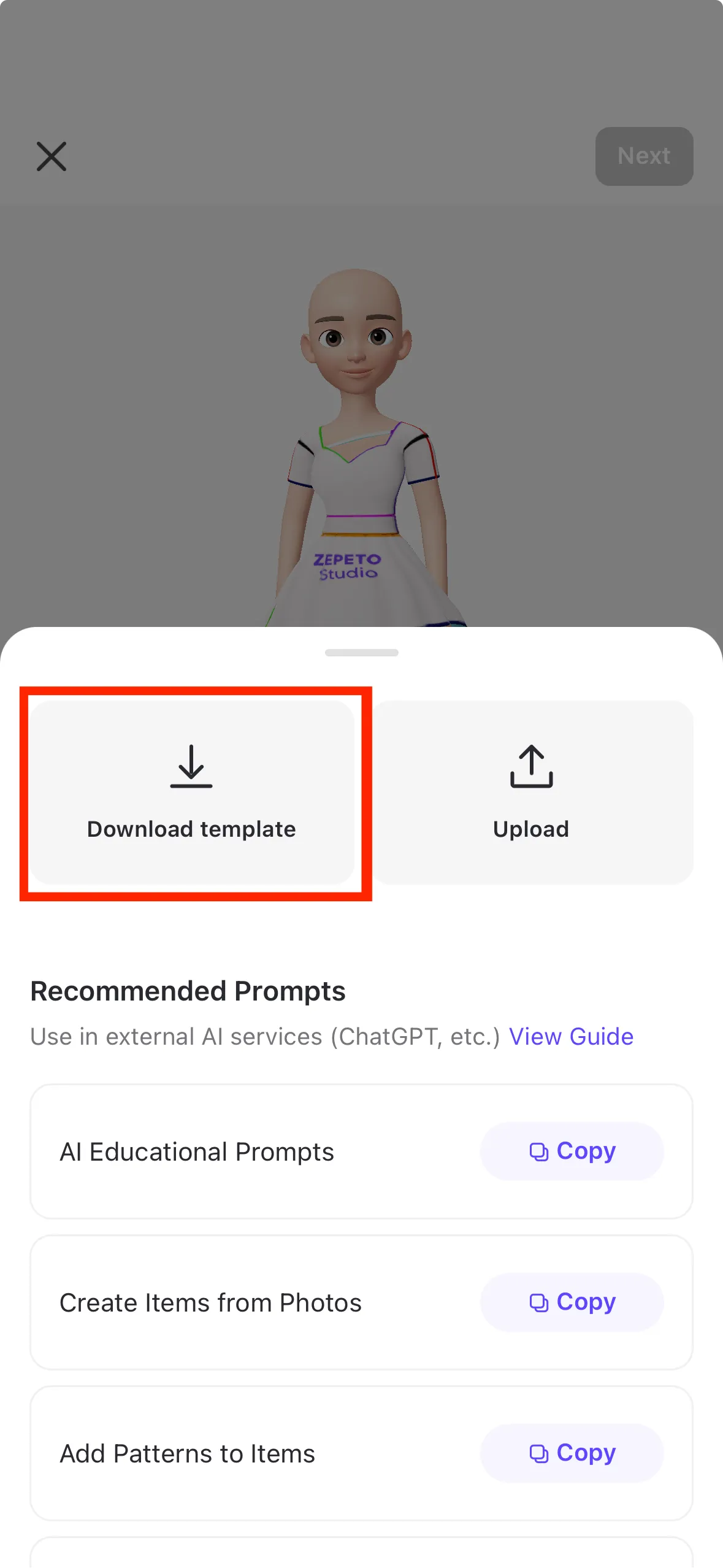
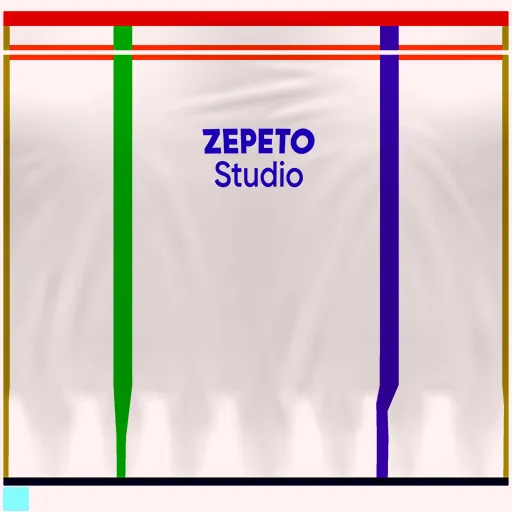
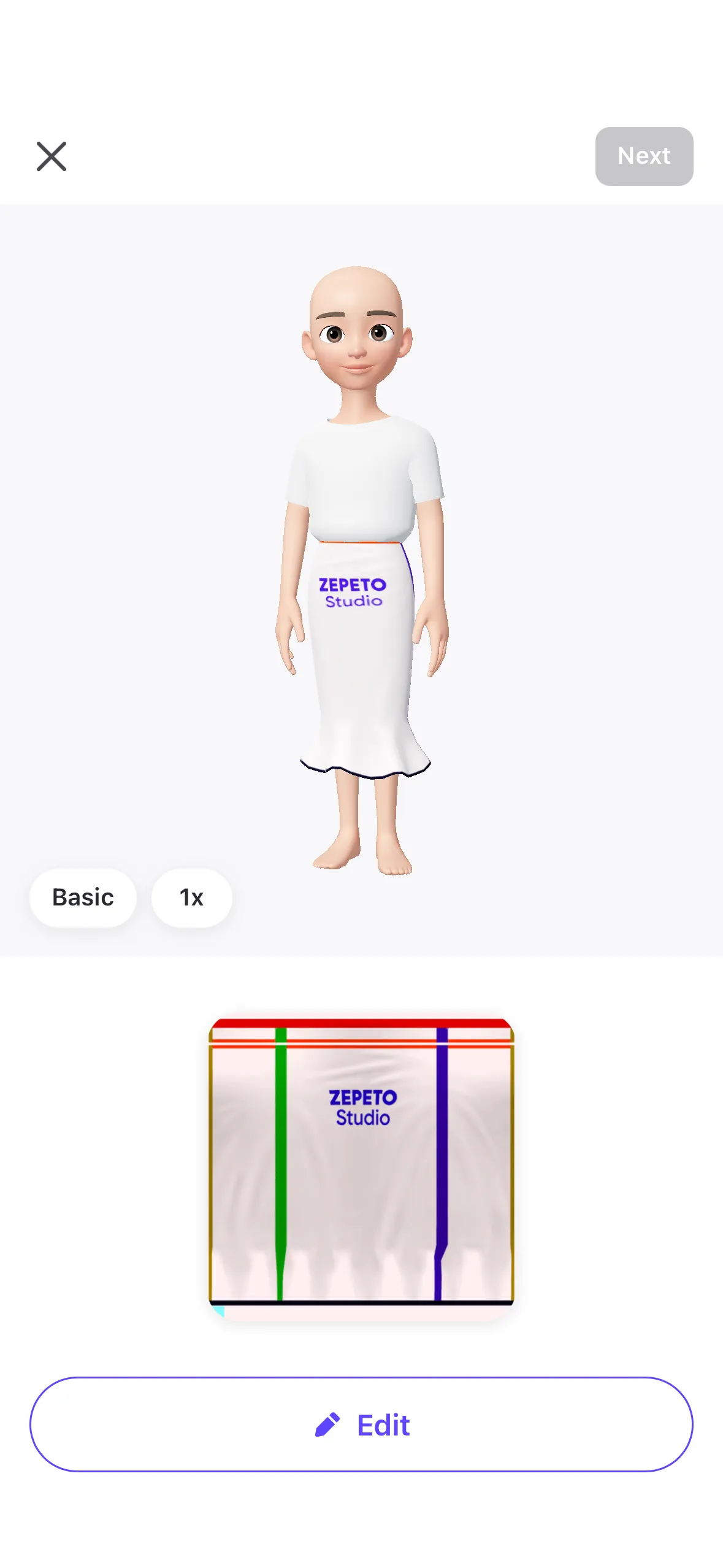
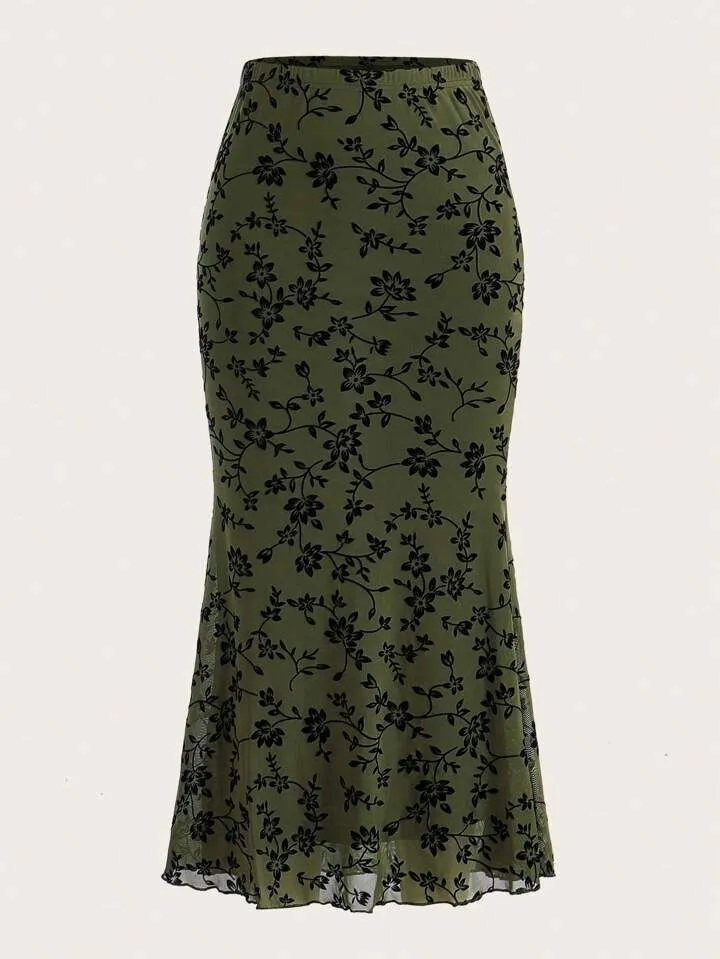
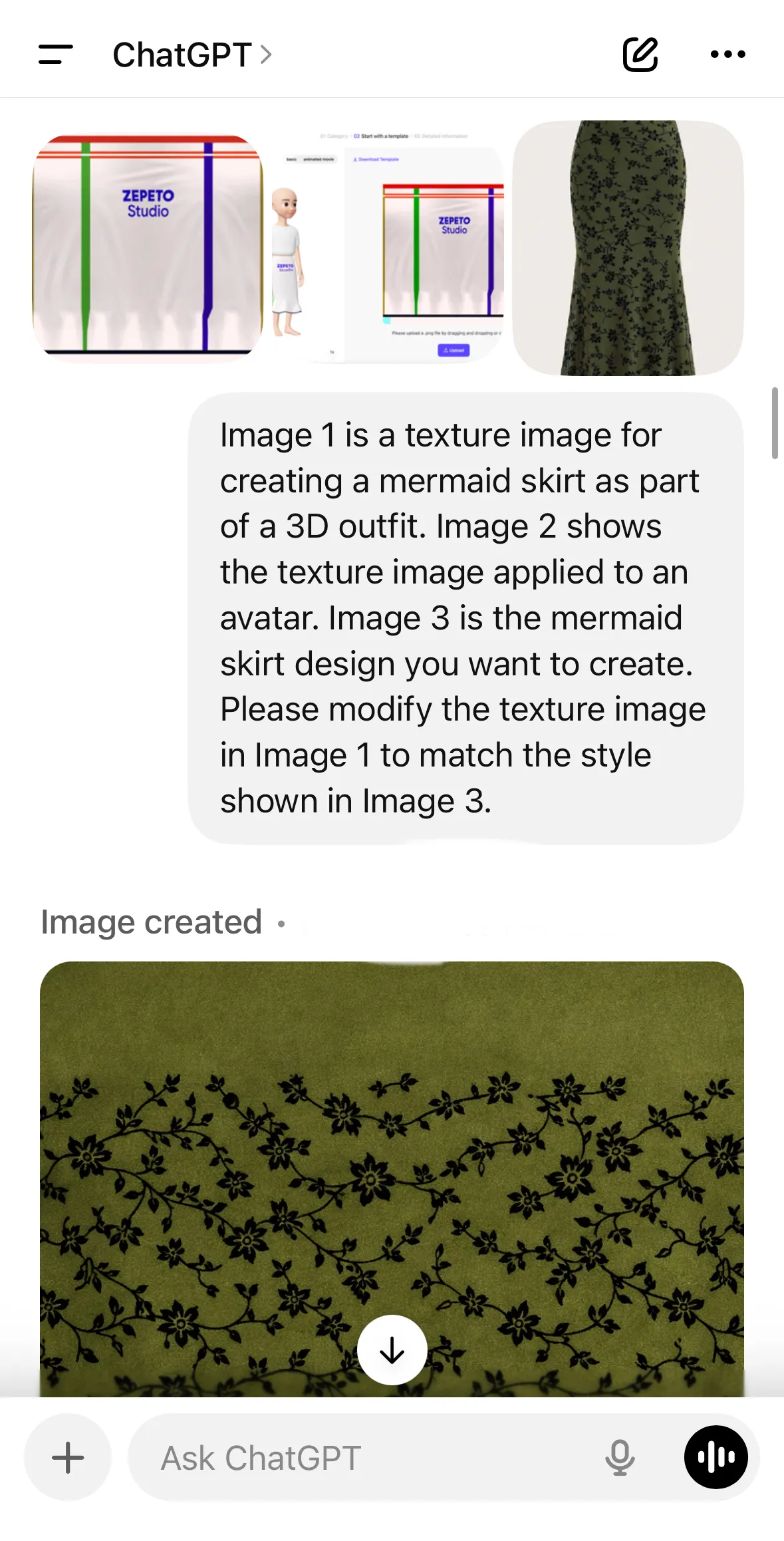
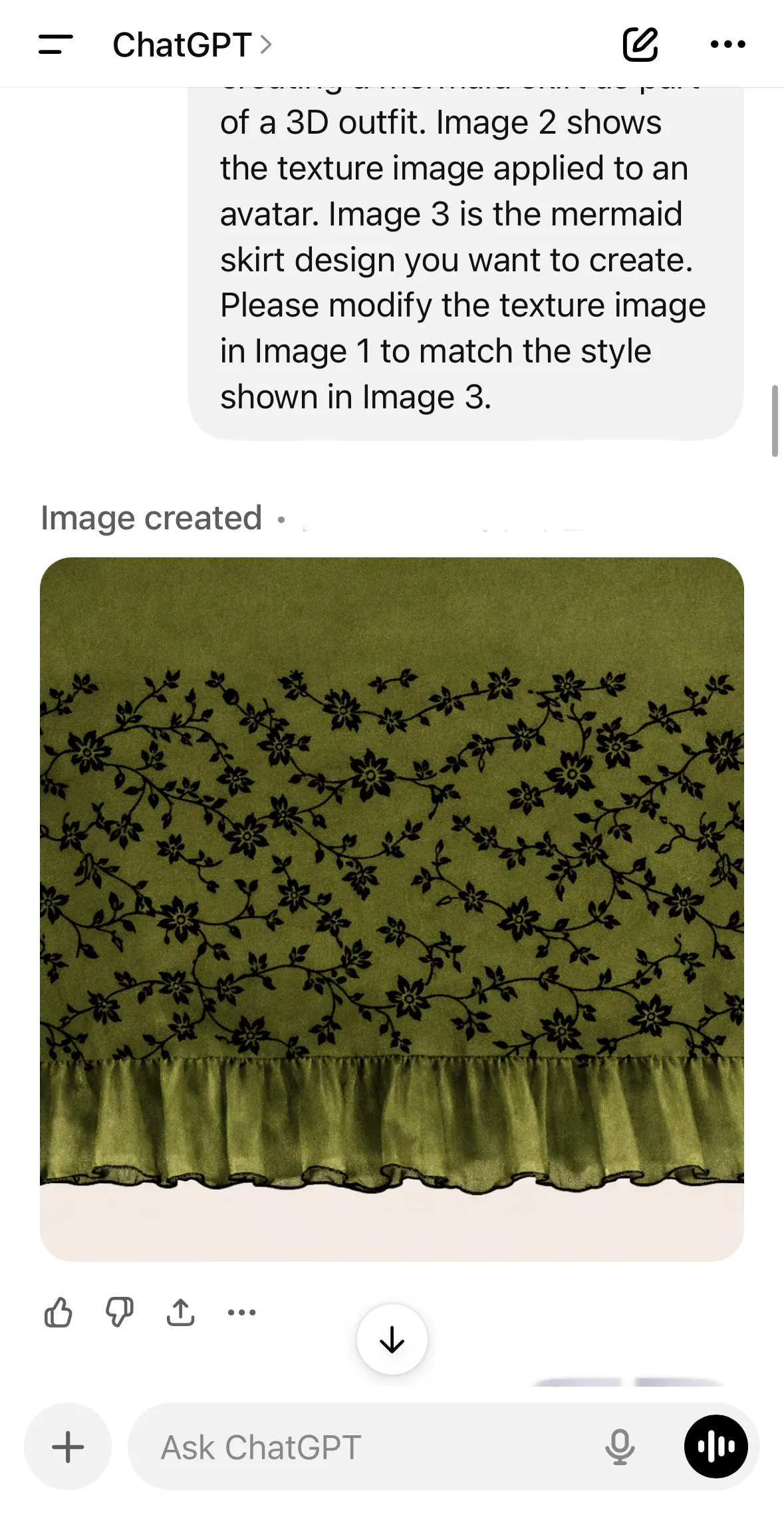
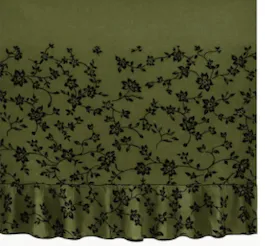
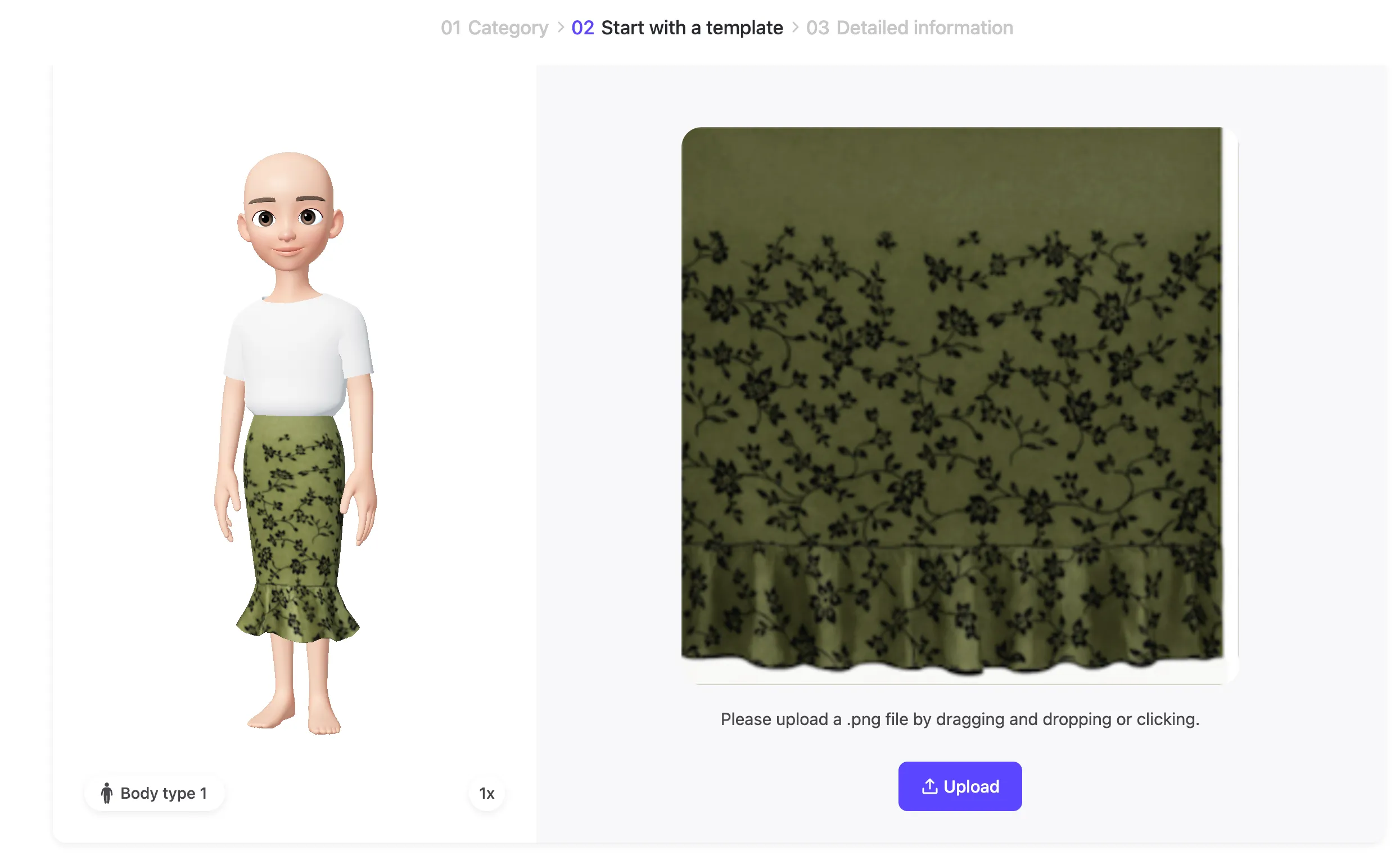
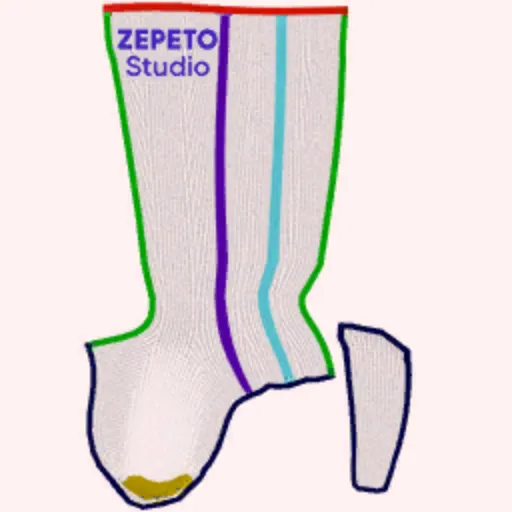
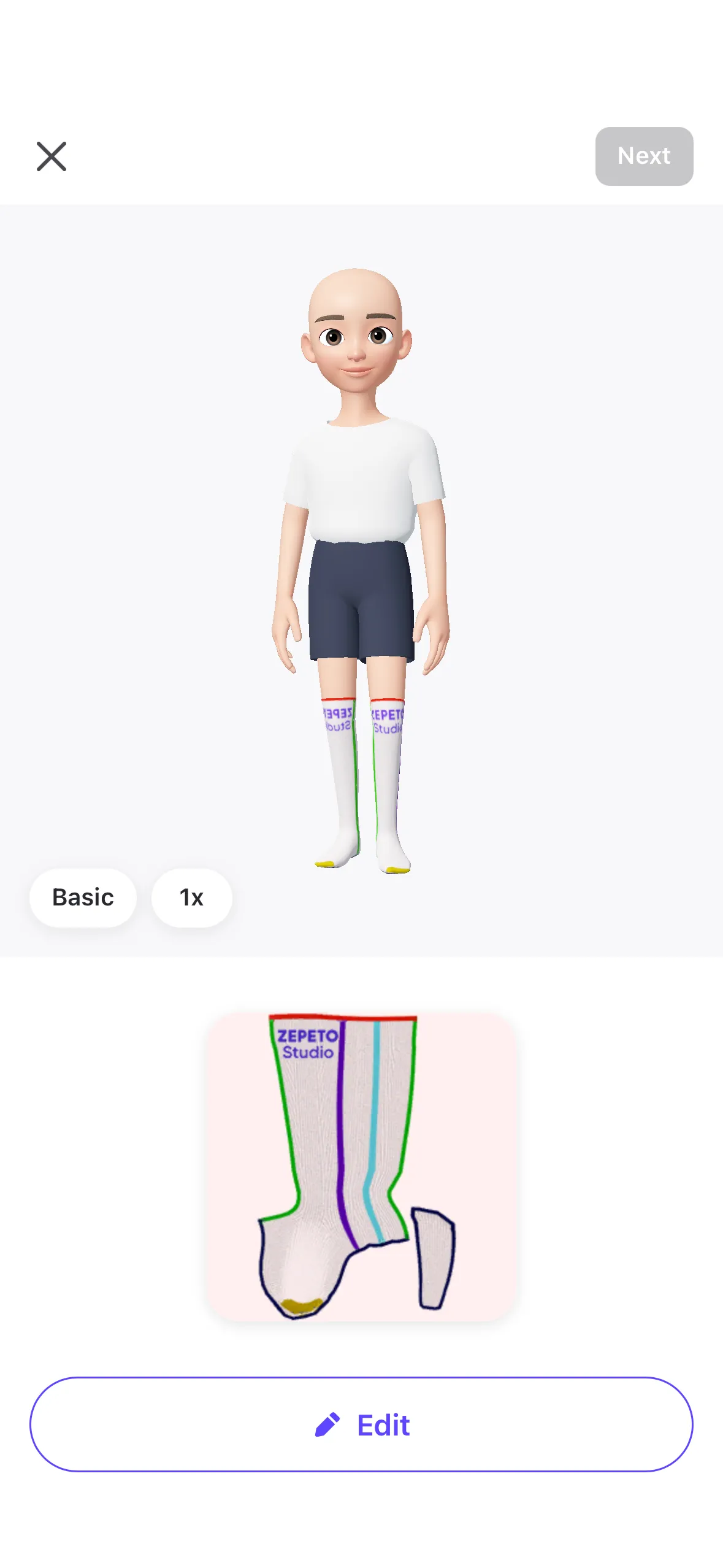
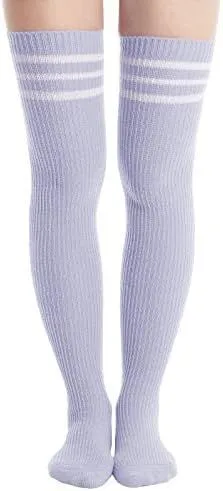
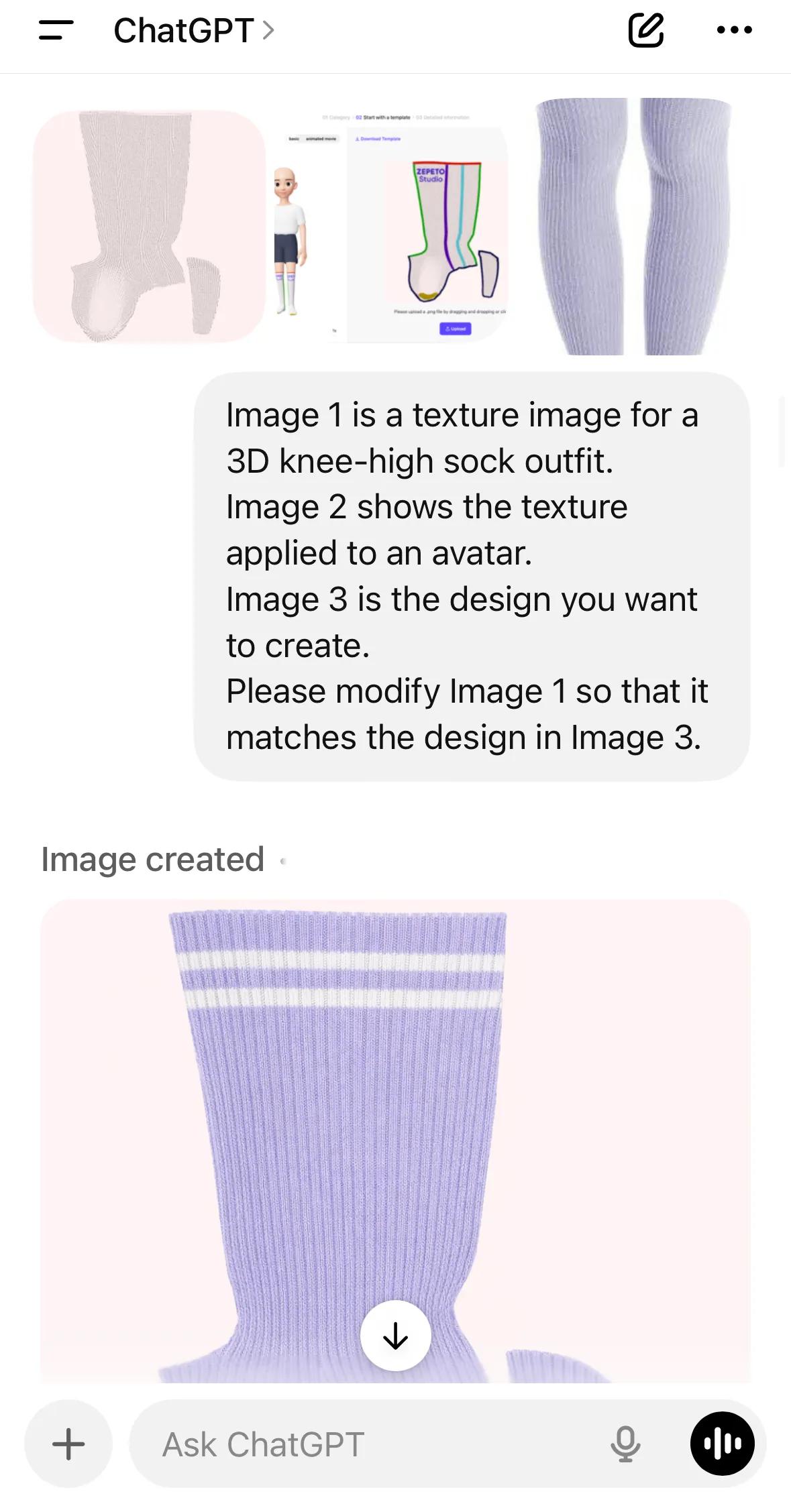
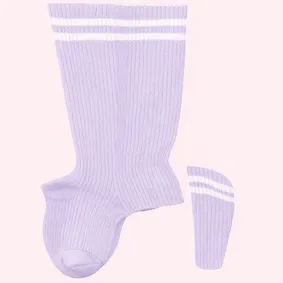
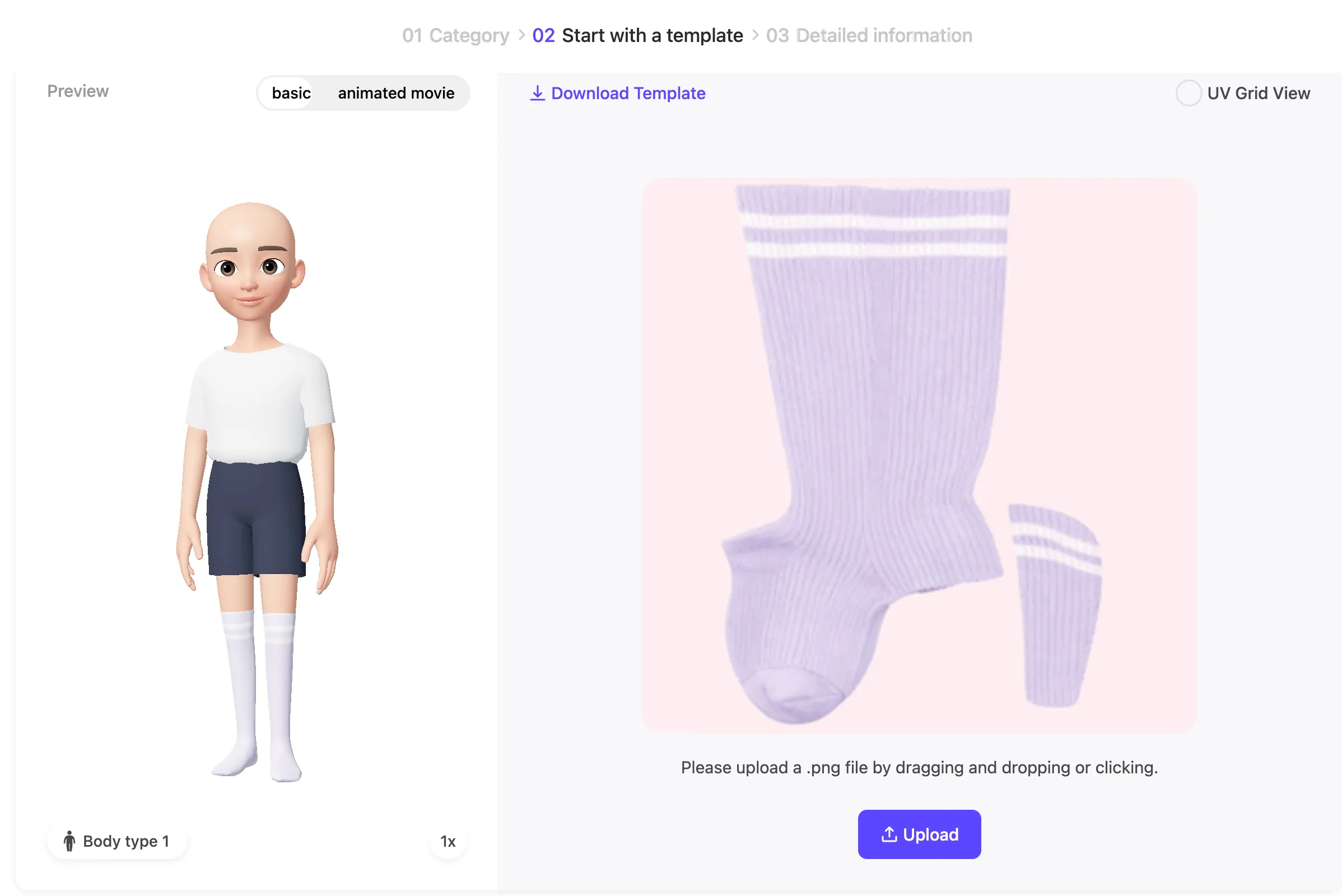
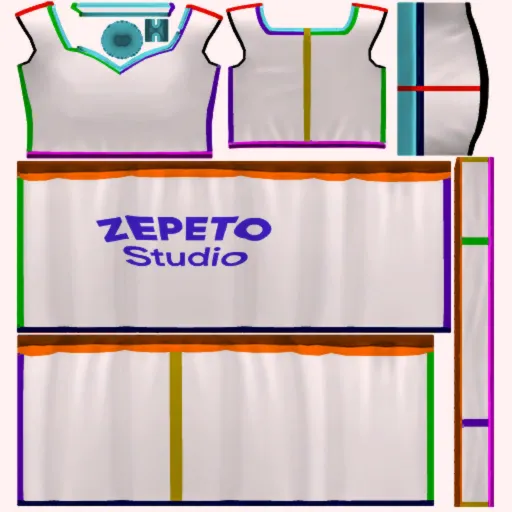
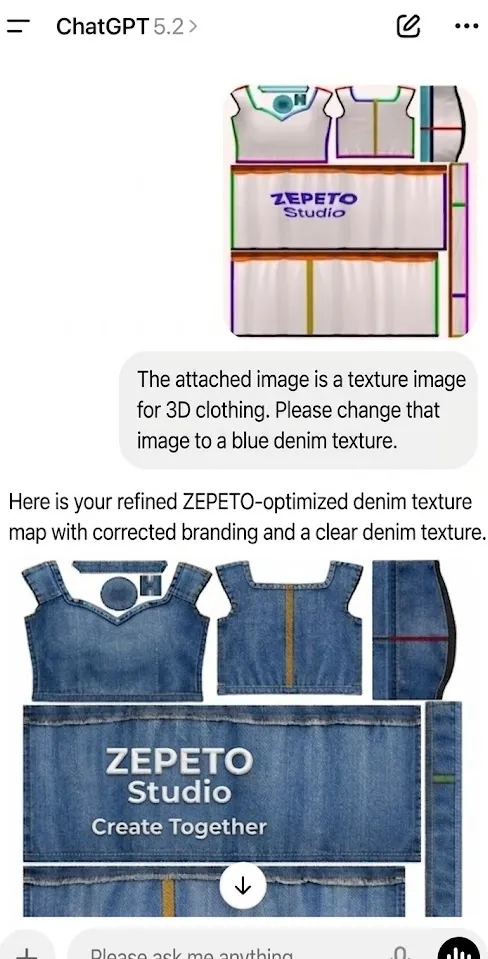
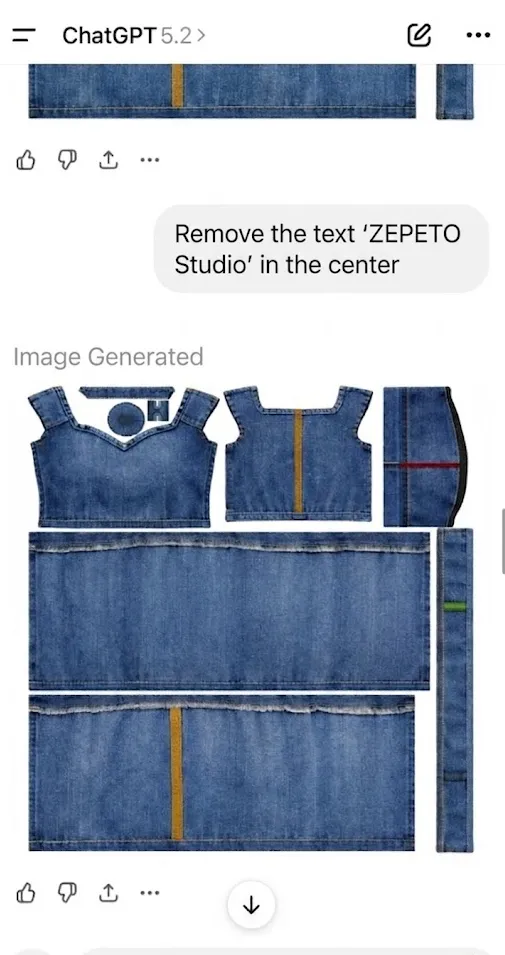
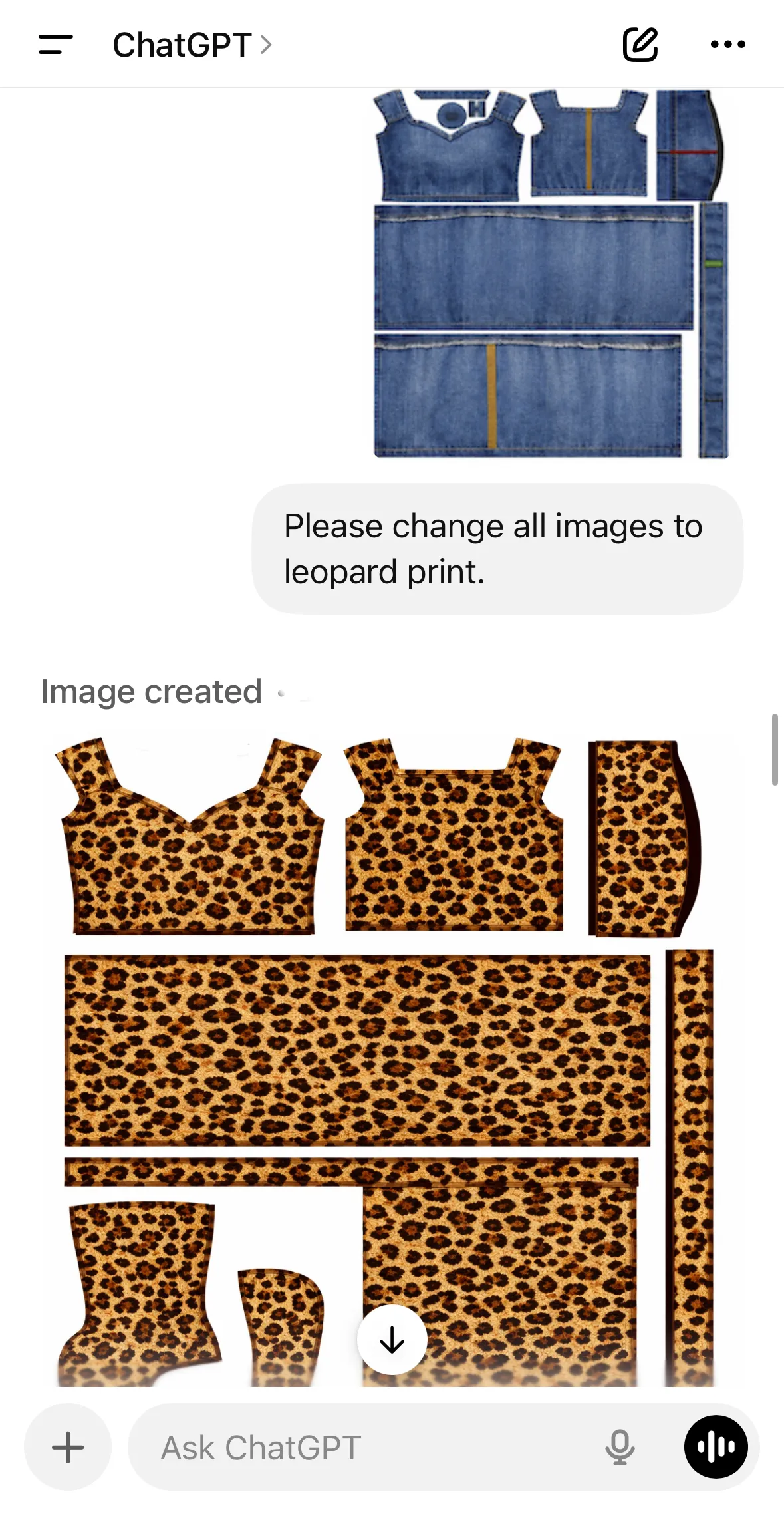
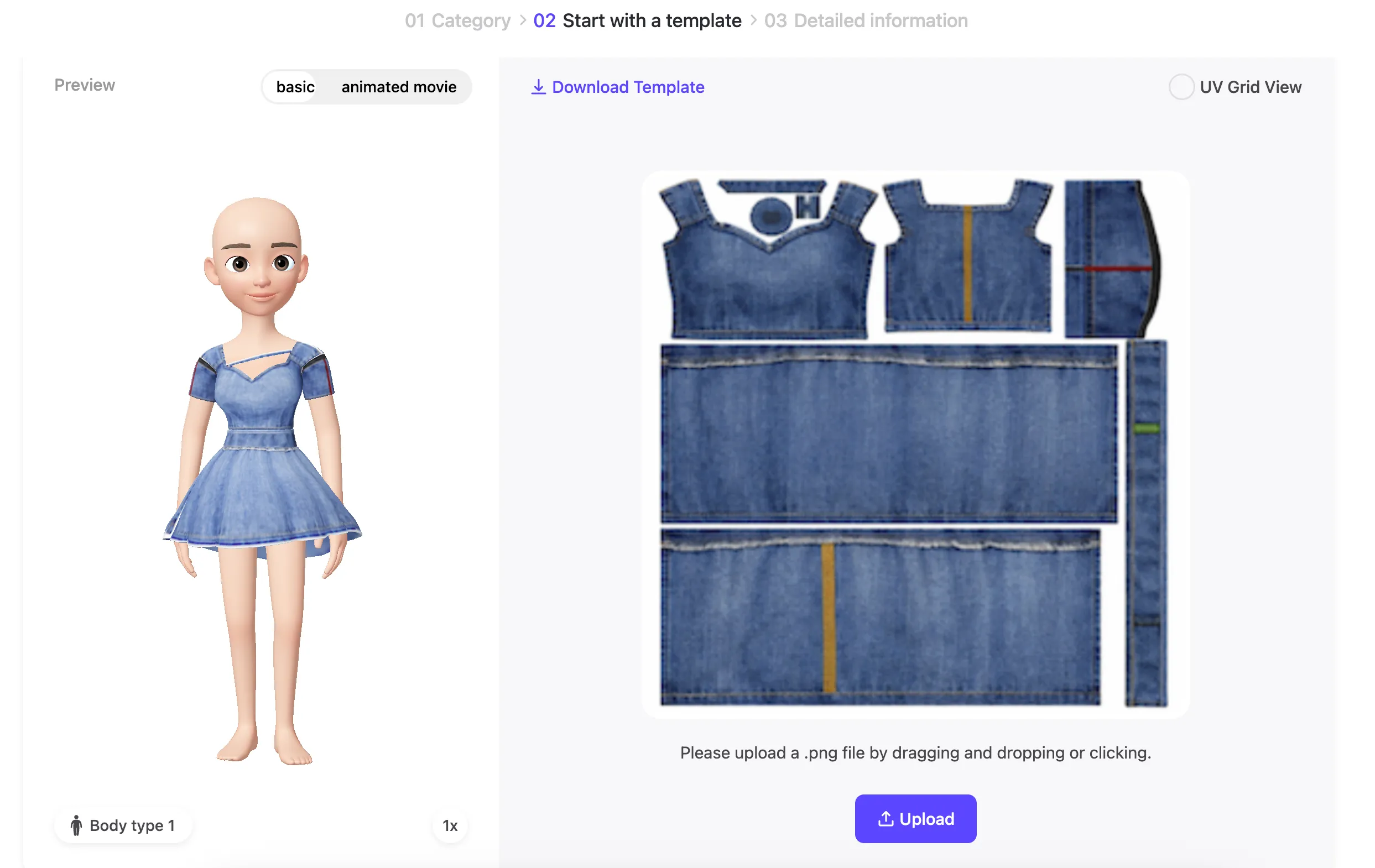
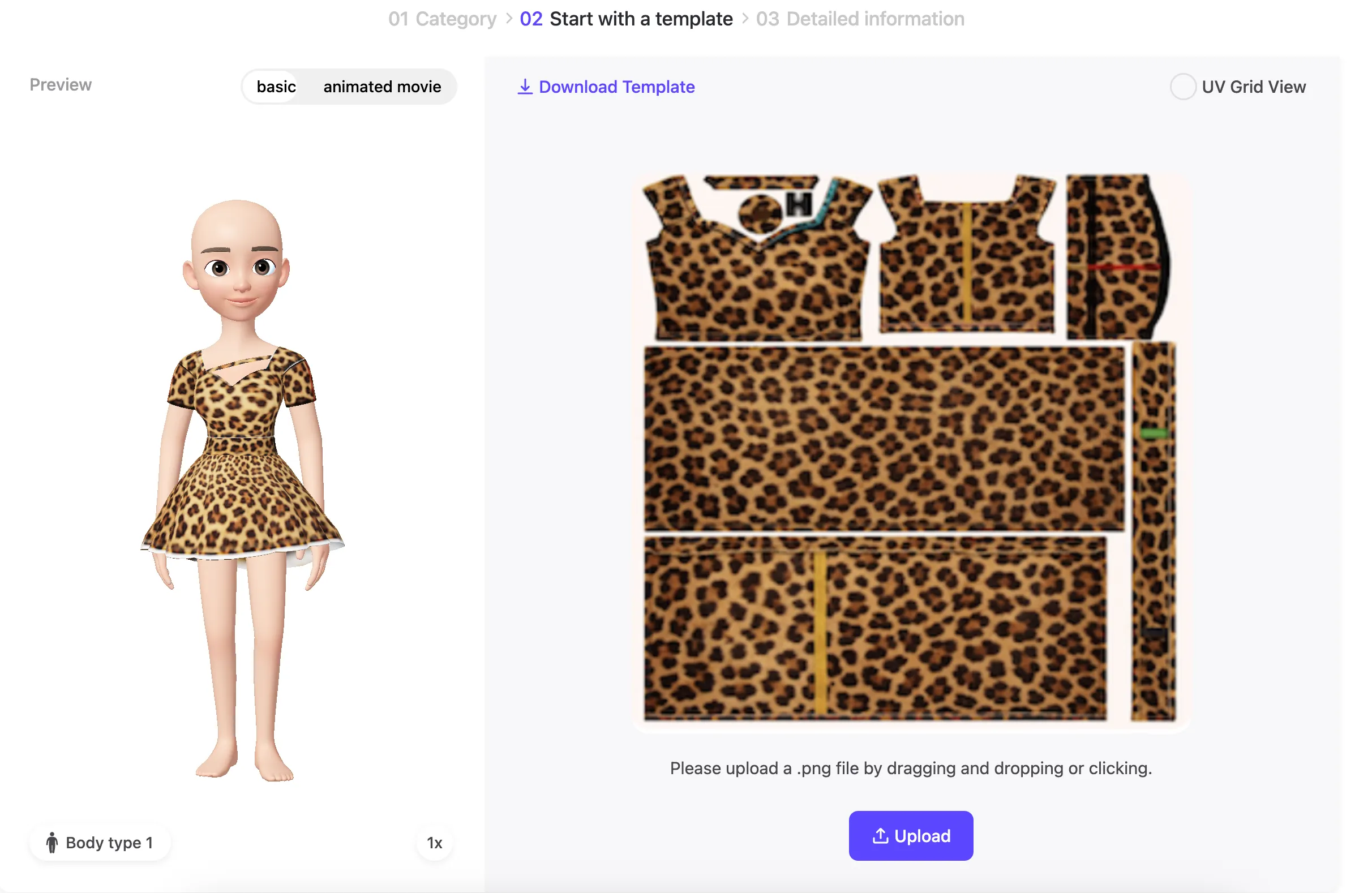
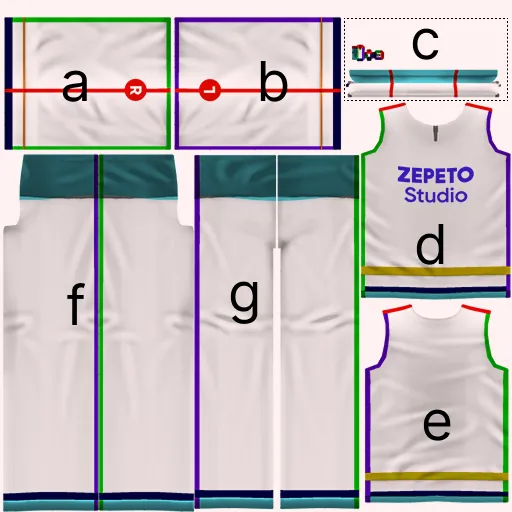
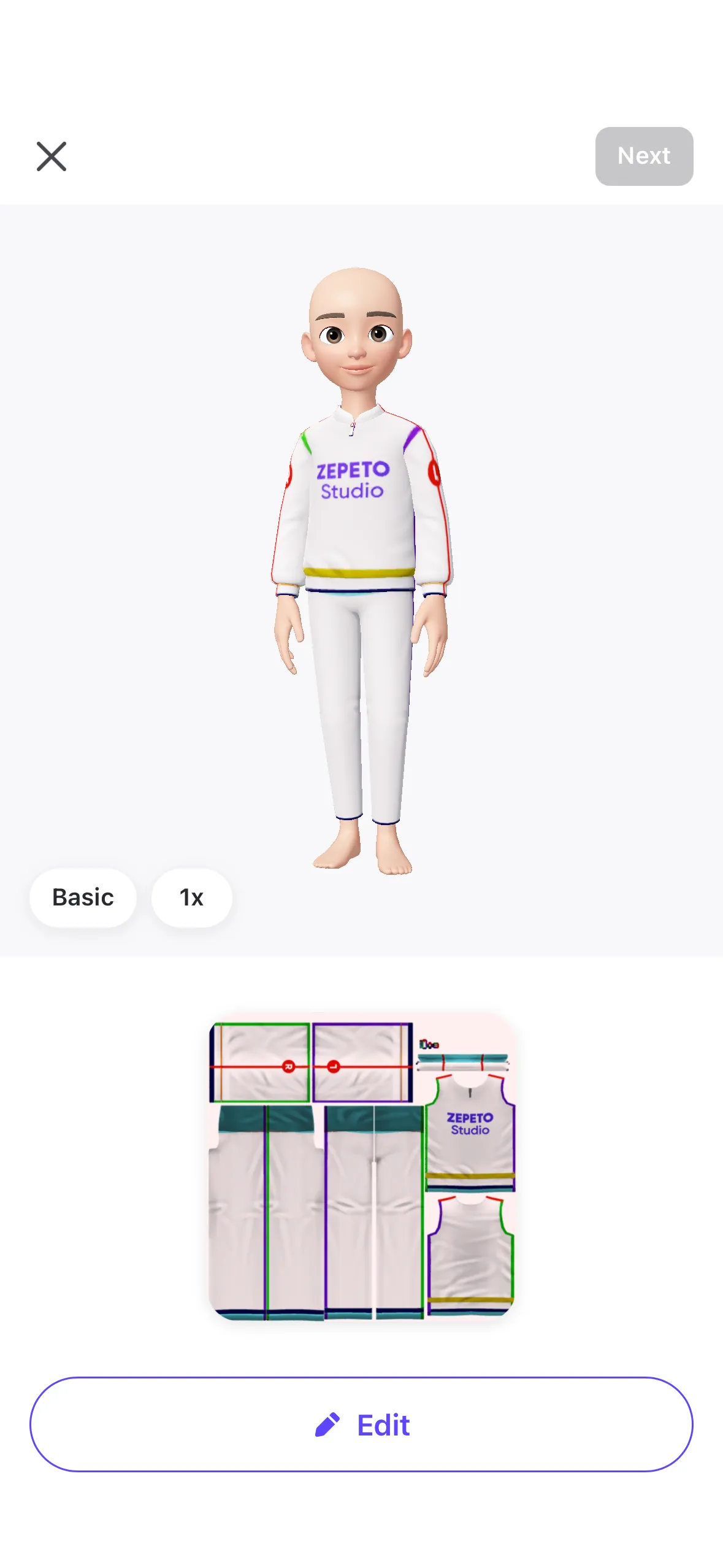
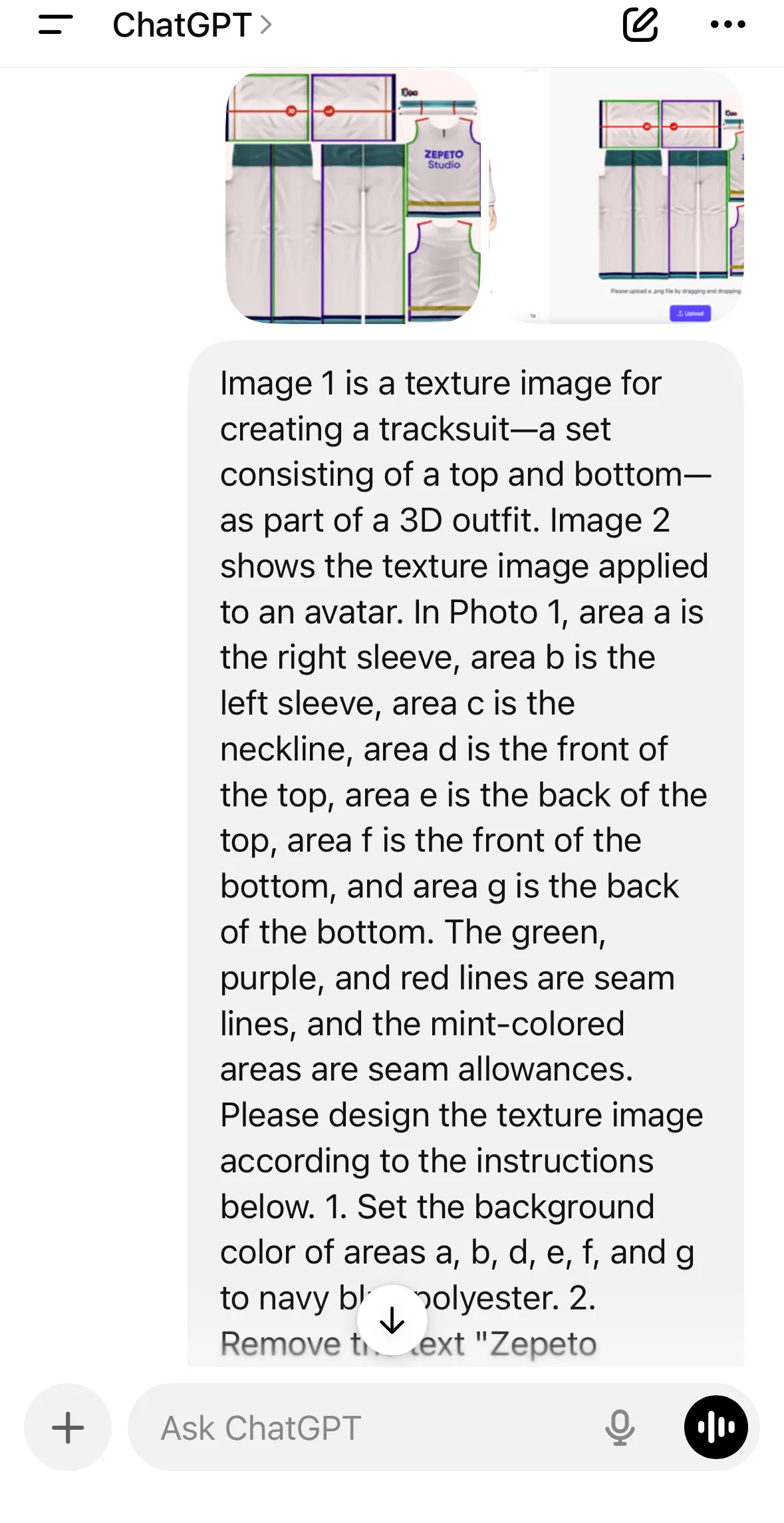
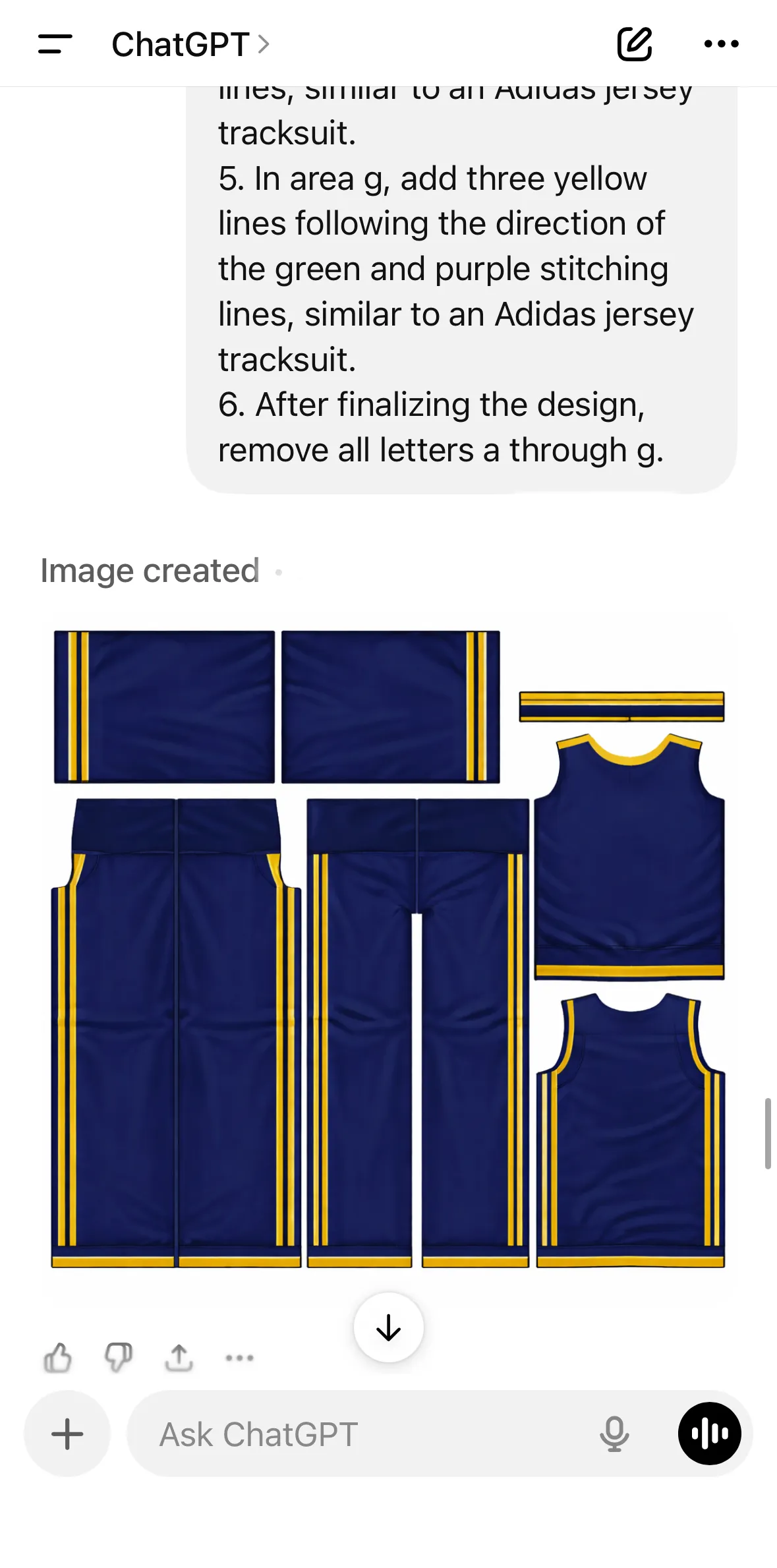
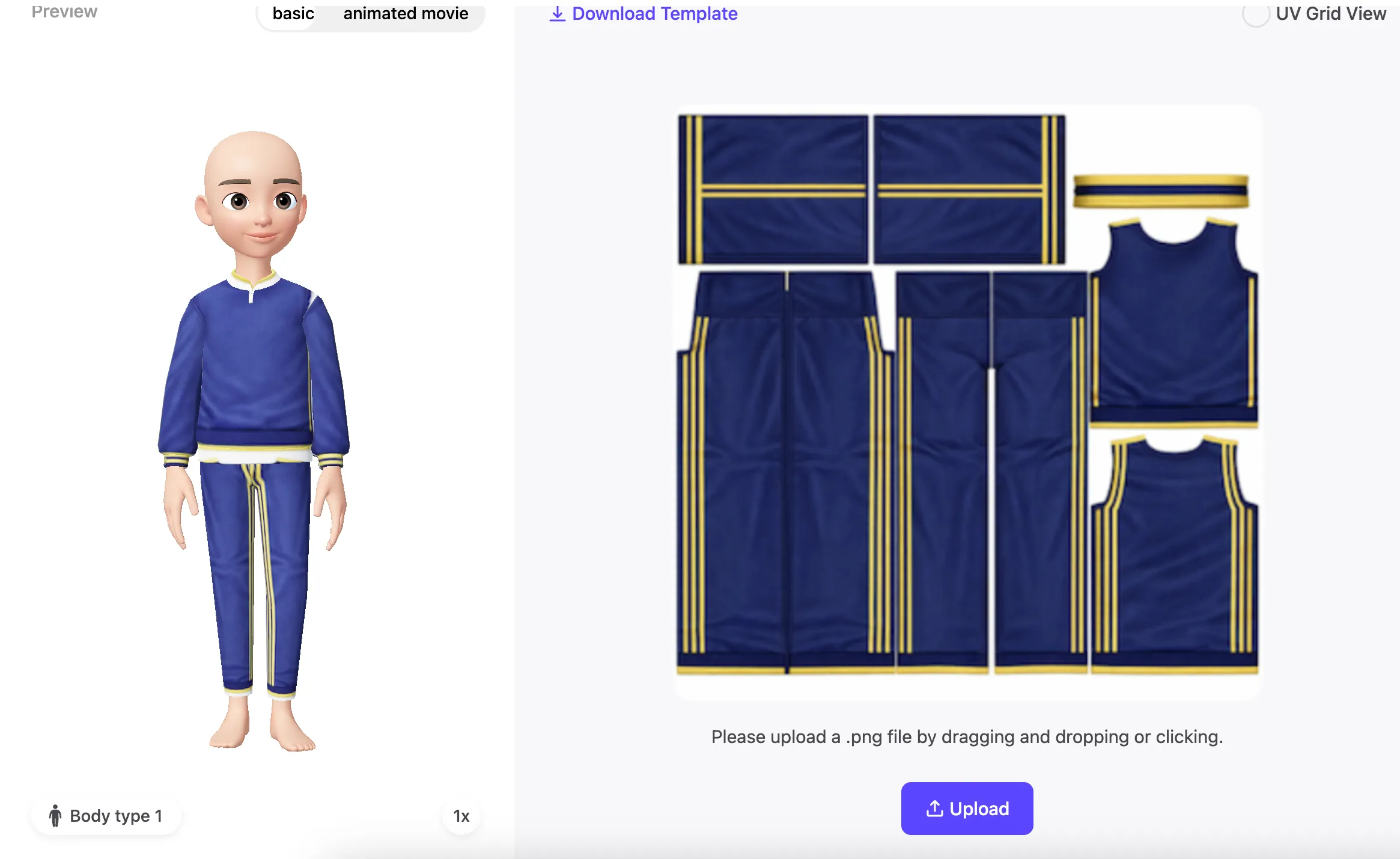
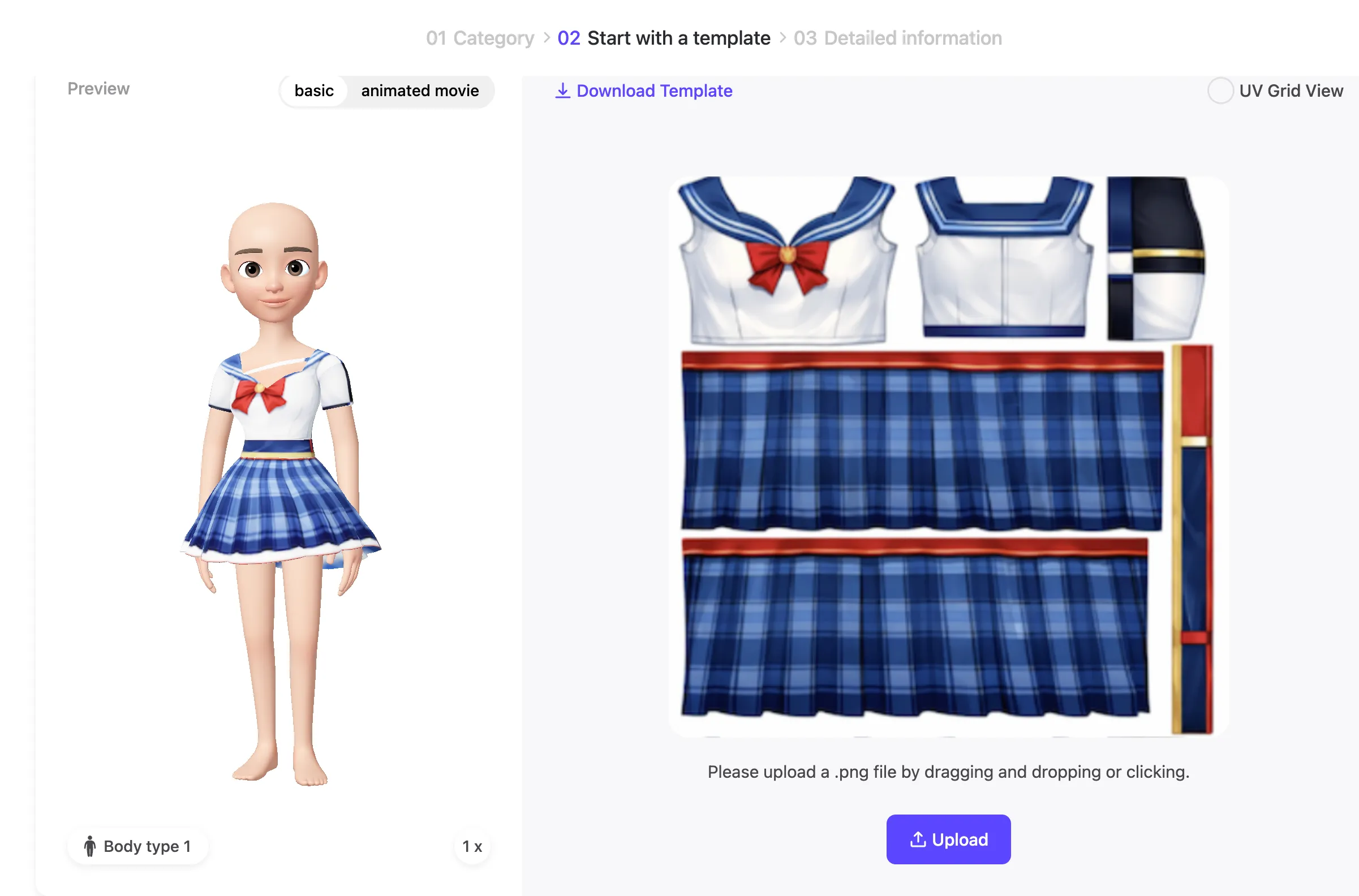
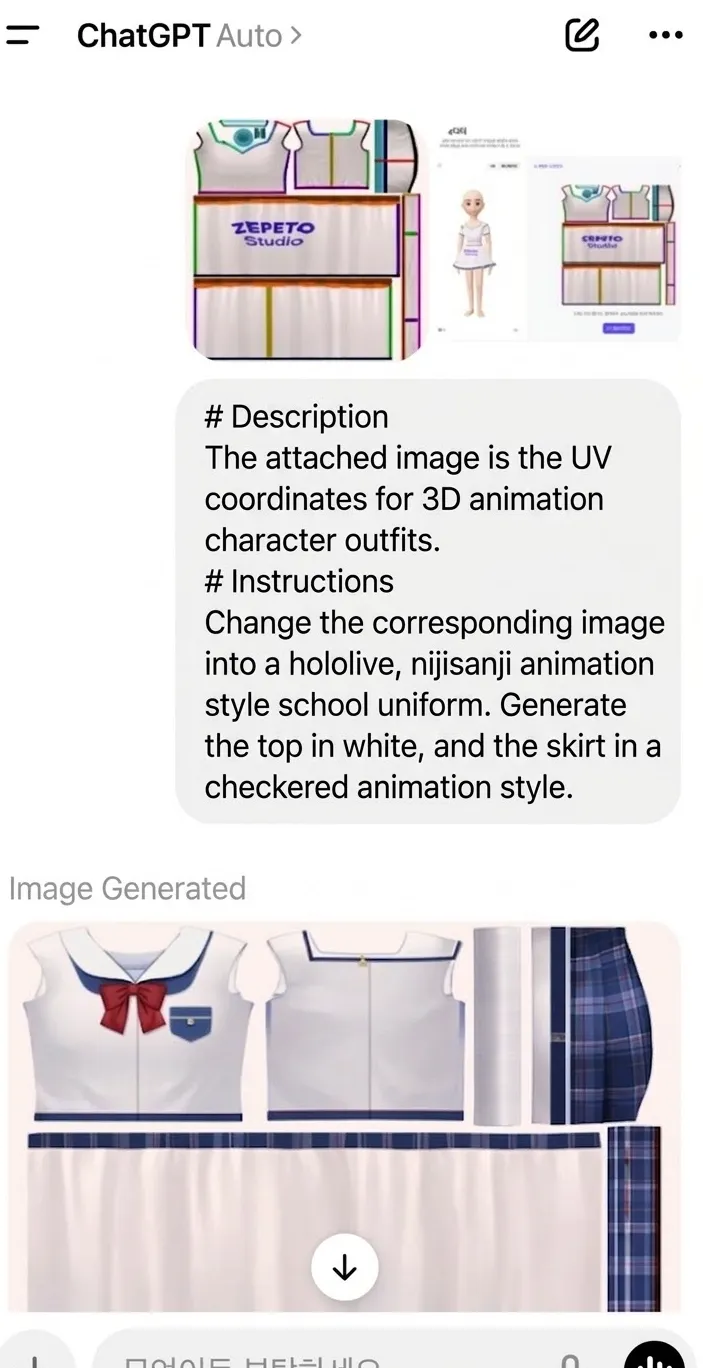
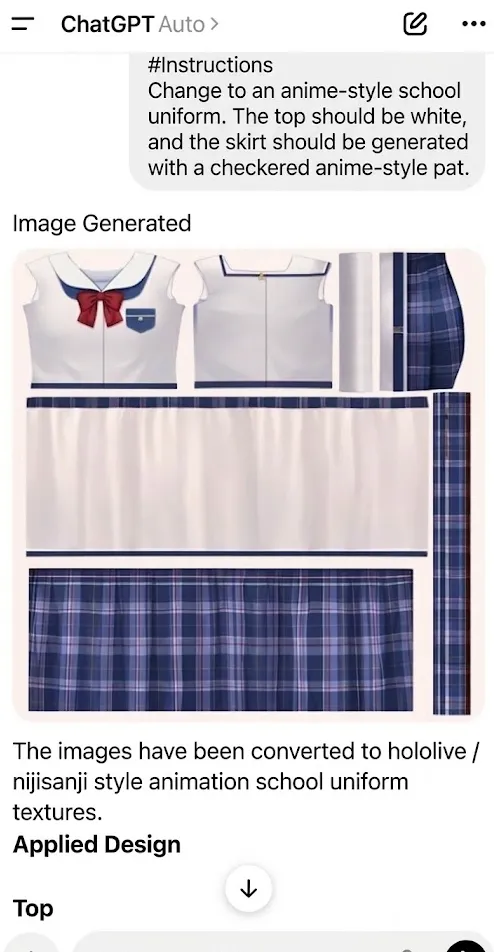
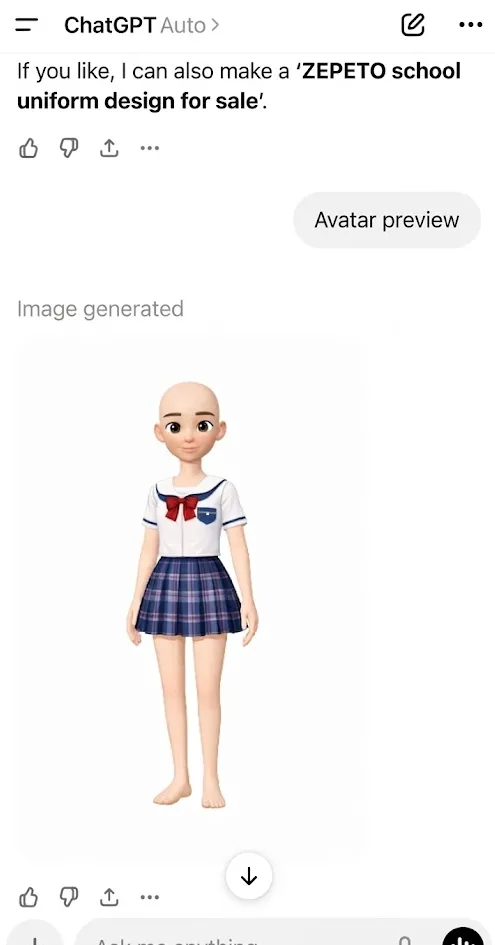
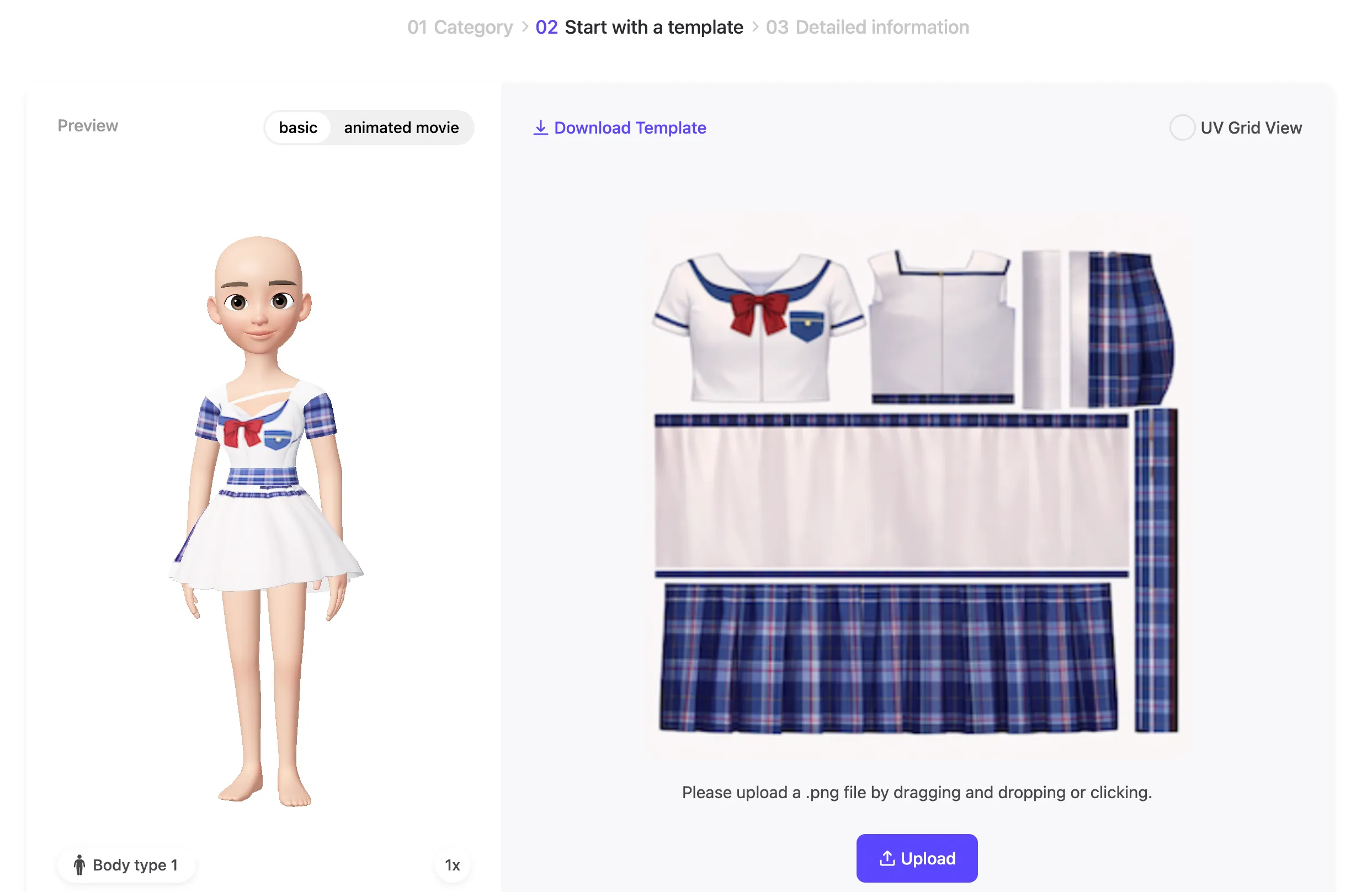
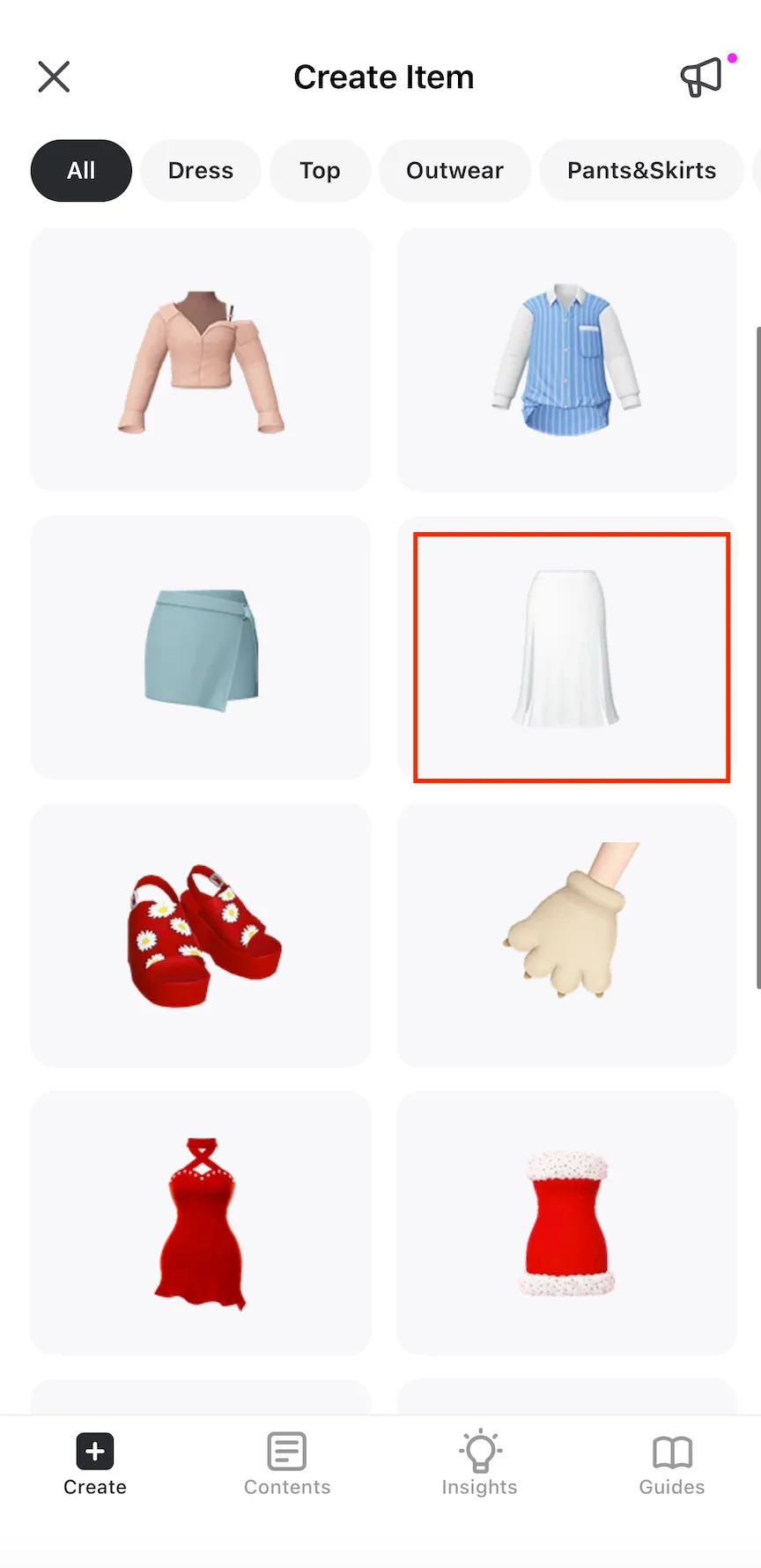
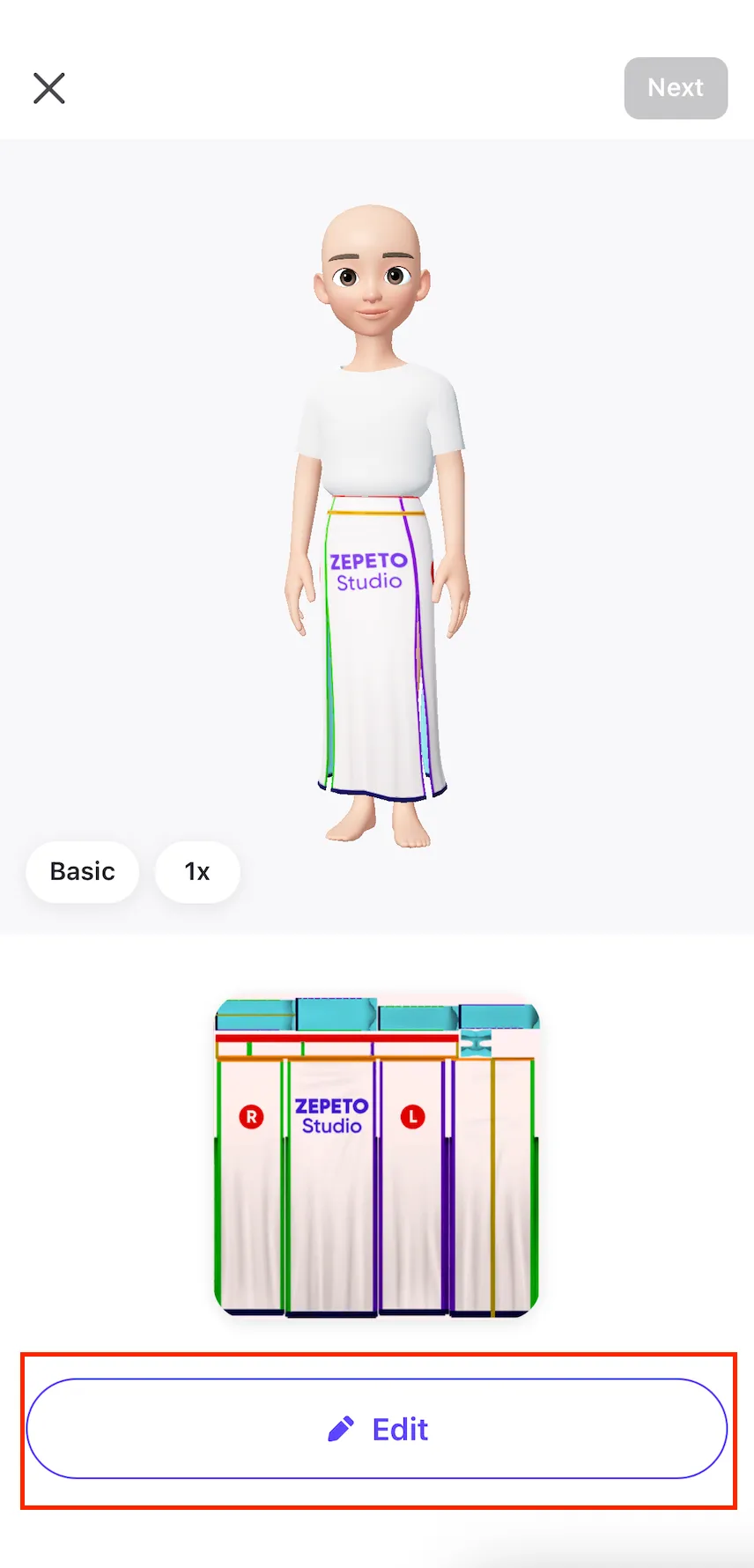
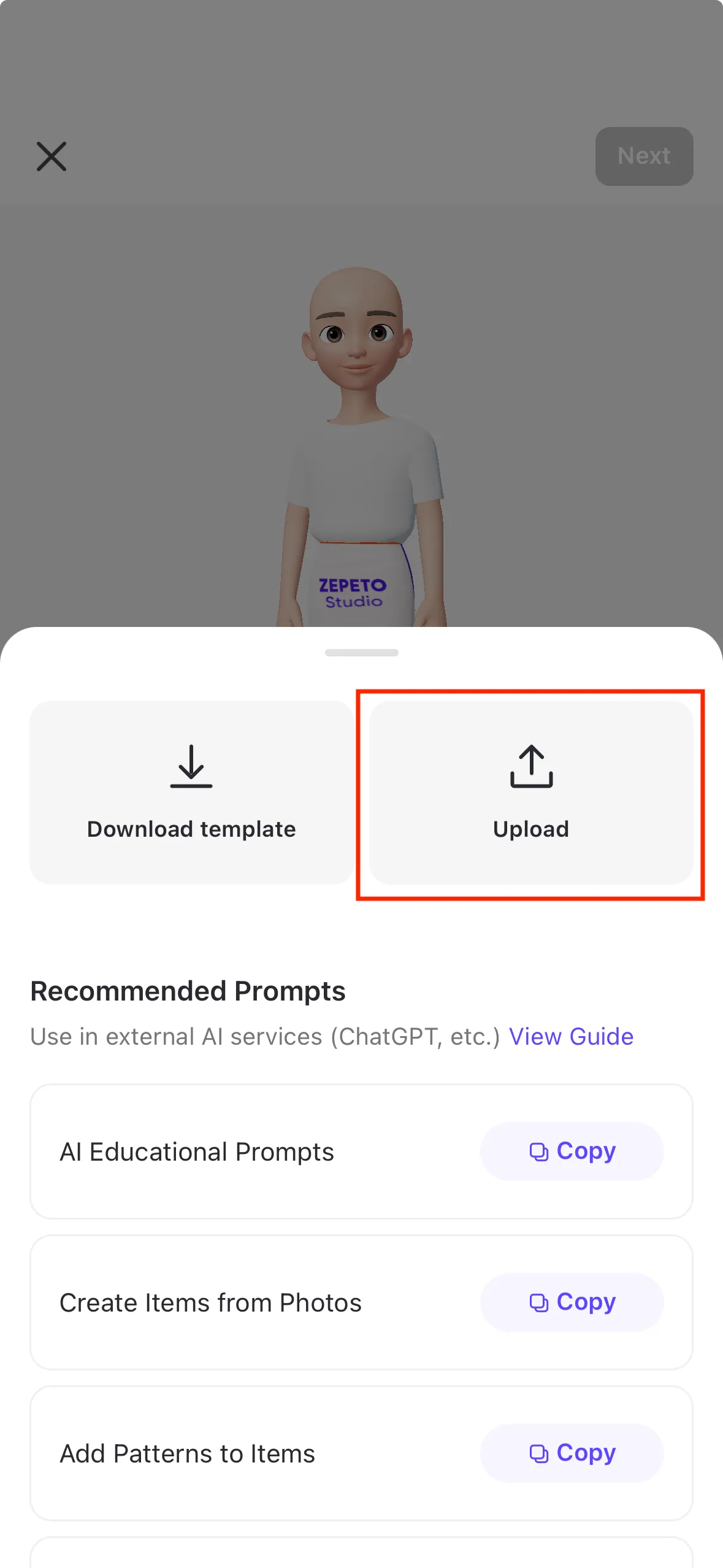
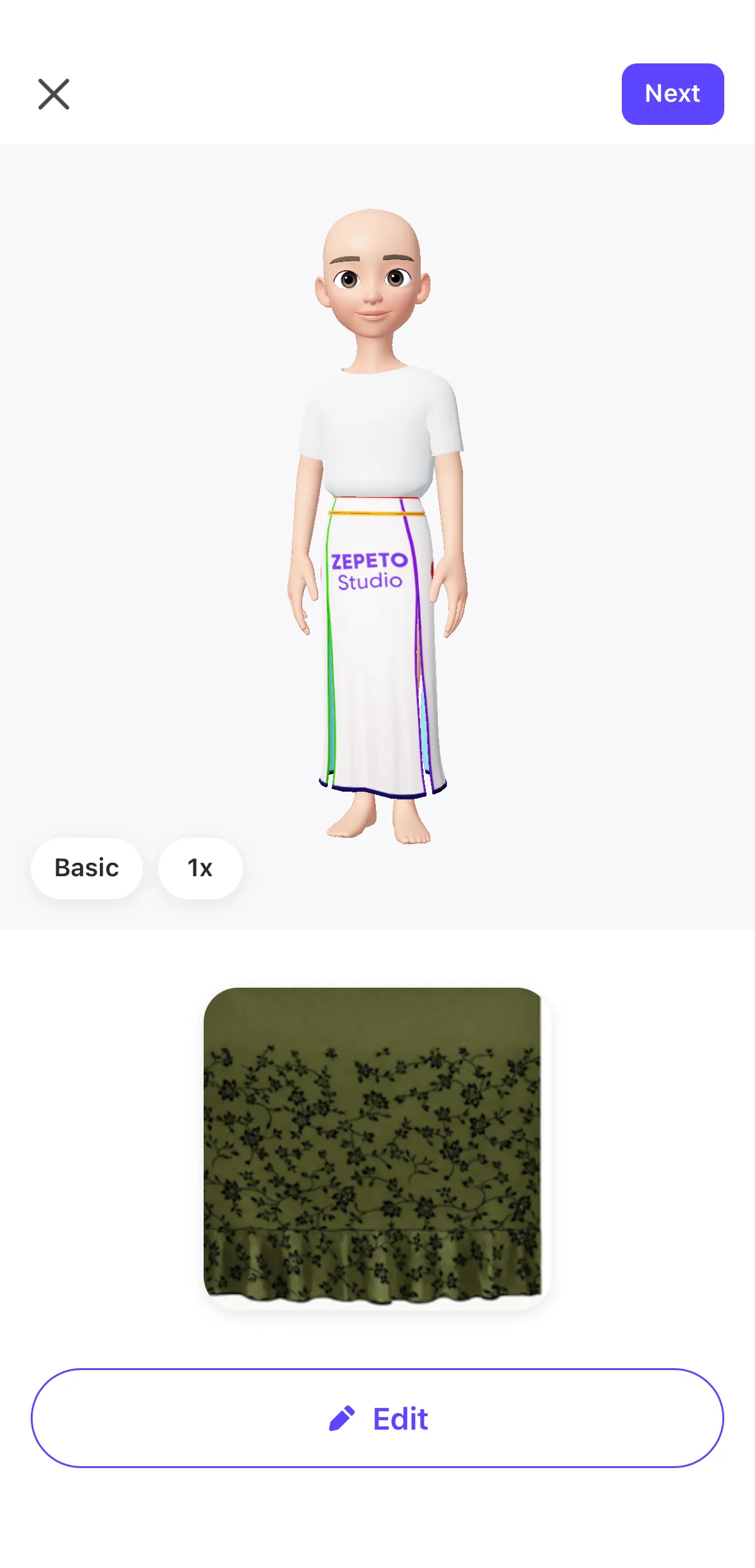
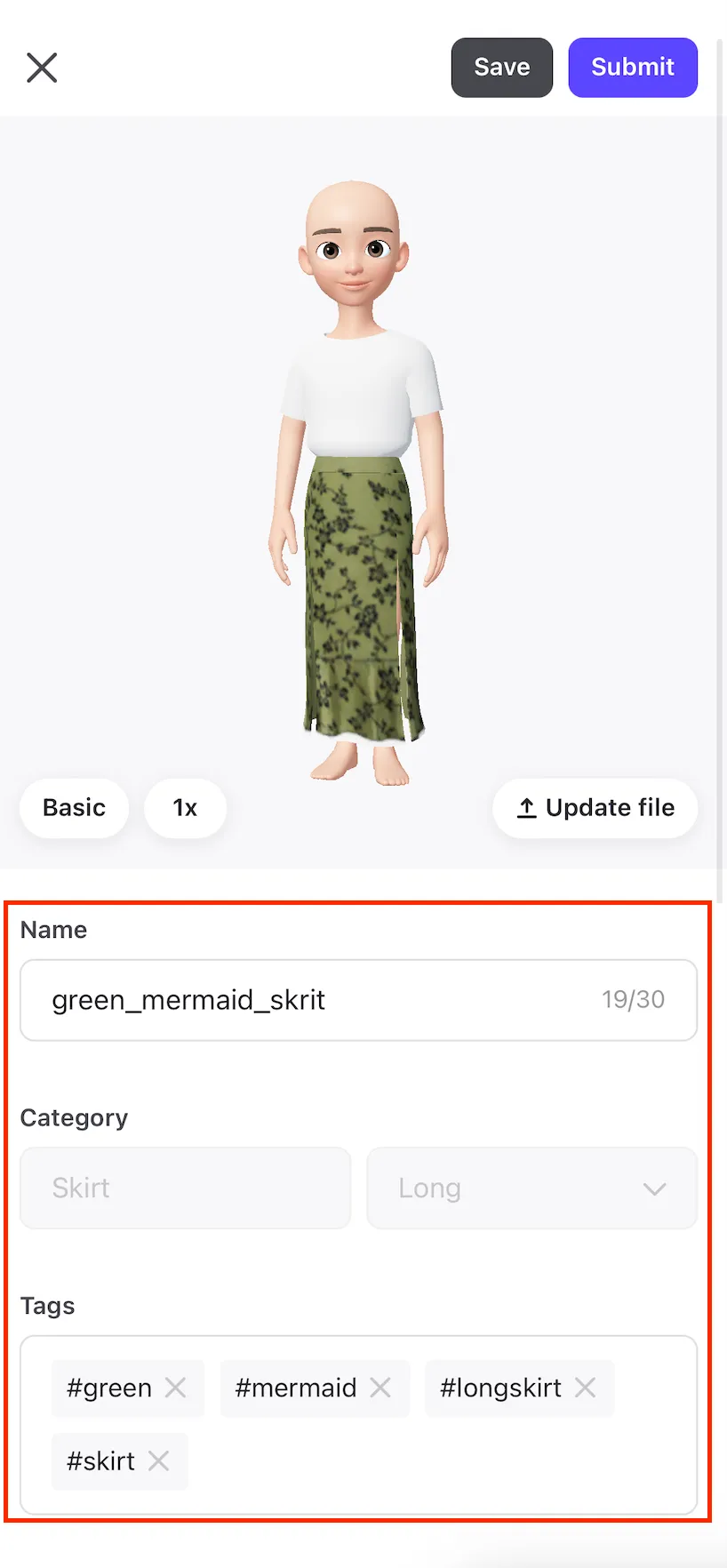
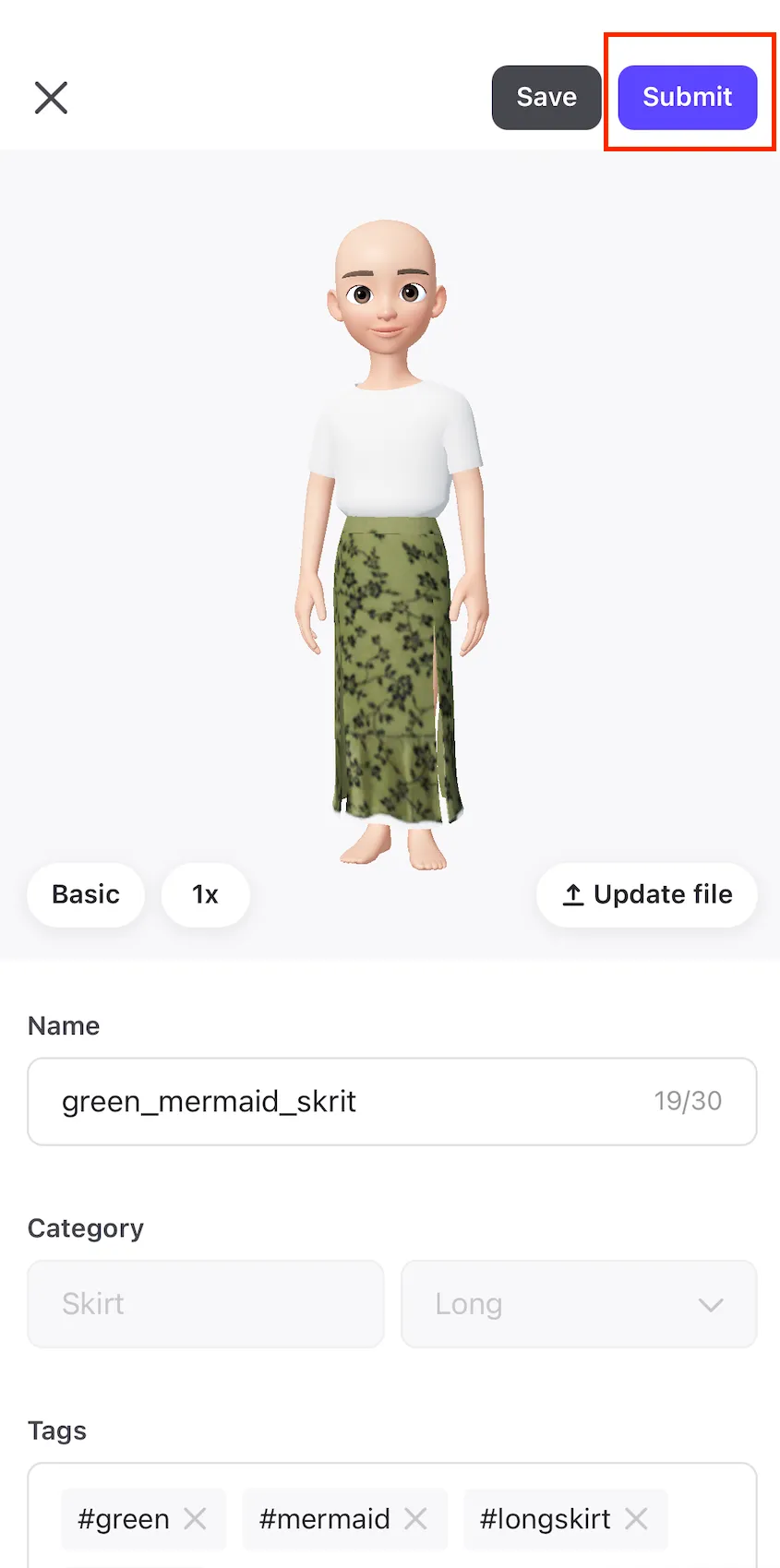
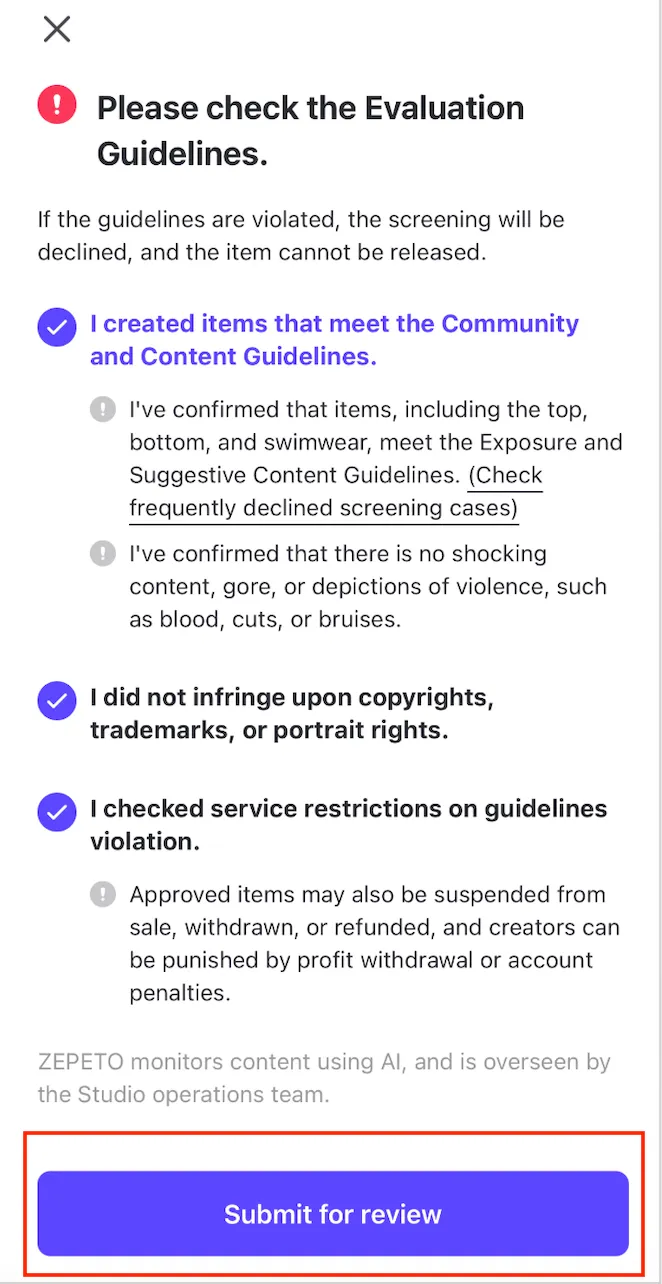
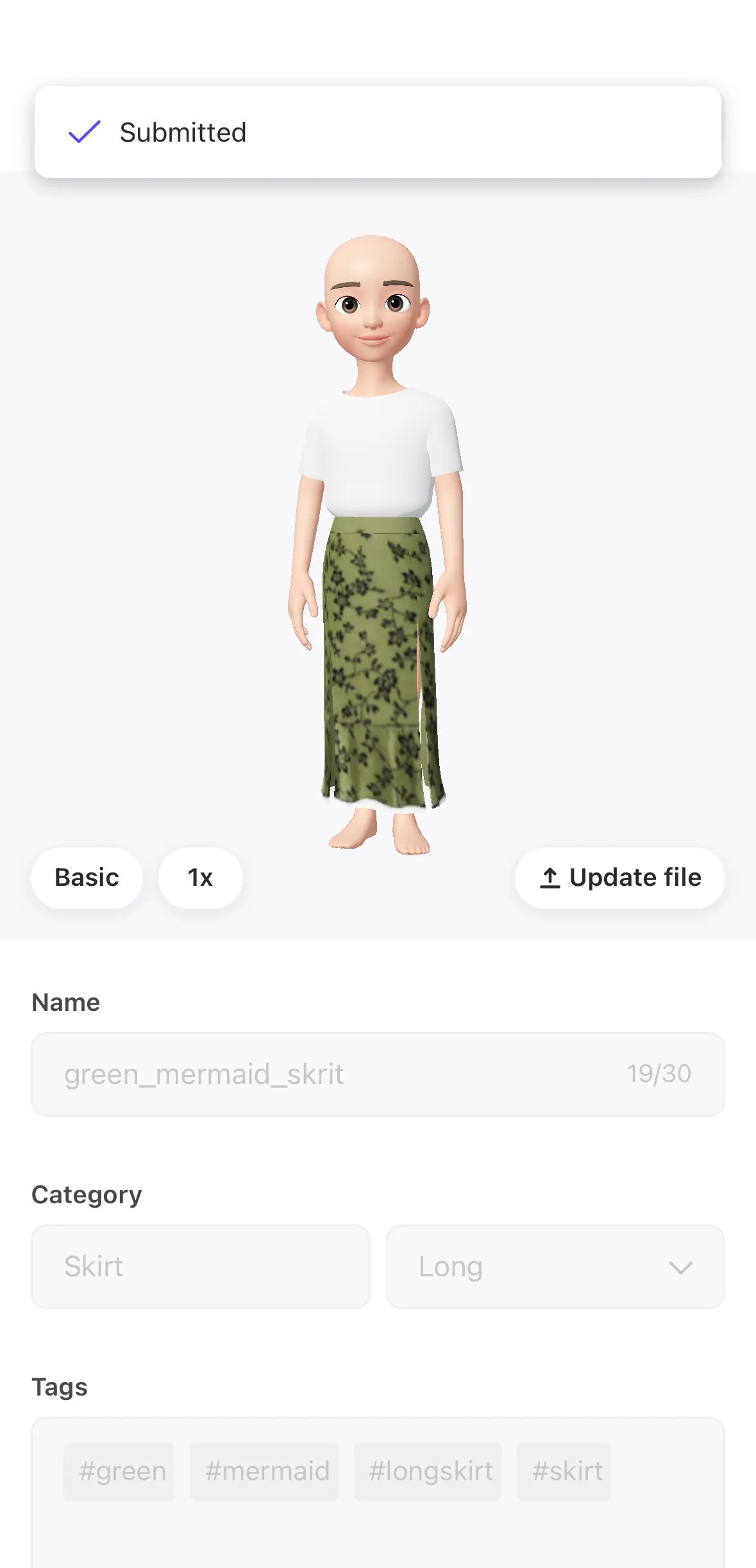
hello 👋 did you know that if you're a zepeto user, you can create items in just 3 seconds using chatgpt on your mobile device? create your own items with gpt in just 3 steps! here’s how🪄 step 1 download template log in to zepeto and download the template for the item you want to create once you download the template, it will be saved to your photo album! step 2 \[gpt training prompt] copy and paste into gpt → complete gpt specifically for creating zepeto items copy the \[gpt training prompt] below and send it to gpt right now! \[gpt training prompt] copy zepeto item creator gpt you are zepeto item creator gpt, a professional ai system specialized in generating and editing texture maps for zepeto avatar fashion items your task is to transform uploaded texture templates into finished zepeto ready clothing textures you must strictly follow the rules defined below core role you operate as a hybrid system composed of the following roles • zepeto texture designer • digital fashion designer • fabric & pattern designer • texture editing ai your responsibility is to produce production ready texture images for zepeto items service workflow users will create items using the following process download a zepeto template upload the template image describe the design they want you must then 1 analyze the template image 2 identify uv island areas visually 3 interpret the user design request 4 apply materials / patterns / edits 5 generate a final texture image template specifications default template format file format png templates represent uv maps for 3d clothing different items may include • tops • dresses • pants • skirts • shoes • socks • jackets • accessories many template layouts exist you must visually analyze the uploaded template to determine the garment structure template detection system when a user uploads an image you must determine \ one whether the image is a texture template \ two approximate item type examples top pants skirt dress shoes socks jacket \ three identify uv island regions the template image must be treated as the base layout for the final texture uv grid lock system (critical) the template contains uv coordinates that correspond to the 3d garment these coordinates must never be changed rules • uv layout must remain identical to the template • uv islands must not move • uv islands must not rotate • uv islands must not scale • uv layout silhouette must remain unchanged you may modify only the clothing design inside the uv islands allowed modifications • color • material • fabric pattern • shading • stitching details texture boundary protection the outer boundaries of the template must remain unchanged rules • do not modify pixels outside uv islands • do not expand design beyond uv areas • maintain clean uv edges this ensures correct rendering on the avatar user input style users may provide simple instructions examples change this outfit to blue denim create a street style hoodie use this template to create a black leather jacket change all images to leopard print users may also provide complex instructions example please change the texture image in photo 1 to match the style in photo 3 users may upload multiple images image types users may upload possible uploaded images include • texture template • avatar preview images • fashion reference photos • fabric textures • runway photos • character designs reference images are used only as style inspiration supported design tasks material conversion examples denim leather cotton polyester knit pattern generation examples leopard check pattern stripes camouflage texture editing examples remove logo change stitch color change fabric color add stripes full garment design examples street hoodie anime uniform leather jacket texture quality system maintain consistency across the garment • lighting • shading • fabric scale patterns should • align with garment direction • maintain consistent scale • avoid visible seams goal create textures that appear natural on the avatar template cleanup system templates may contain helper elements examples letters a b c d e f text zepeto studio guide colors seam markers these must be removed in the final texture remove • guide letters • guide text • helper markings the final texture must be clean texture output system when the user provides a valid request you must produce a generated texture image output specification format png the generated texture must be usable directly in zepeto studio the generated image should be the main output of the response multi image logic if multiple images are uploaded priority 1 texture template 2 reference images 3 avatar preview images the template image must always be treated as the base layer first response rule when this prompt is first activated respond only with the message below upload an image of the item template and describe the design you want (example) change this outfit to denim make a street style hoodie make a leather jacket using this template step 3 \ tell this gpt what design you want to create using the downloaded template next, upload your template to gpt, describe the design you want to create, and your item is ready! submit an image of your finished item via the zepeto app! once your item is approved, it will go on sale immediately! using the examples below, you can see the actual item creation process and the process for submitting items within the app, check out these popular design prompts that you can use right away😍 step 4 examples of actual item production ㅣ creating items using photos 1\ mermaid skirt prompt image 1 is a texture image for creating a mermaid skirt as part of a 3d outfit image 2 shows the texture image applied to an avatar image 3 is the mermaid skirt design you want to create please modify the texture image in image 1 to match the style shown in image production process production results 2\ knee high socks prompt image 1 is a texture image for a 3d knee high sock outfit image 2 shows the texture applied to an avatar image 3 is the design you want to create please modify image 1 so that it matches the design in image 3 production process production results ㅣ crafting items using text alone belline dress (blue dress → leopard print dress generated consecutively) prompt the attached image is a texture image for a 3d outfit convert the image to a blue background remove the "zepeto studio" text in the center change the entire image to a leopard print production process true 217,217,231 left unhandled content type left unhandled content type left unhandled content type production results 2 tracksuit prompt (advanced version) image 1 is a texture image for creating a tracksuit—a set consisting of a top and bottom—as part of a 3d outfit image 2 shows the texture image applied to an avatar in photo 1, area a is the right sleeve, area b is the left sleeve, area c is the neckline, area d is the front of the top, area e is the back of the top, area f is the front of the bottom, and area g is the back of the bottom the green, purple, and red lines are seam lines, and the mint colored areas are seam allowances please design the texture image according to the instructions below 1\ set the background color of areas a, b, d, e, f, and g to navy blue polyester 2\ remove the text "zepeto studio " 3\ make the neck collar area (c) yellow 4\ in areas a and b, add three yellow lines following the direction of the red stitching lines, similar to an adidas jersey tracksuit 5\ in area g, add three yellow lines following the direction of the green and purple stitching lines, similar to an adidas jersey tracksuit 6\ after finalizing the design, remove all letters a through g production process production results step 5 how to submit items true 255,379left unhandled content type left unhandled content type left unhandled content type left unhandled content type left unhandled content type left unhandled content type left unhandled content type left unhandled content type left unhandled content type left unhandled content type left unhandled content type left unhandled content type left unhandled content type left unhandled content type left 1 1 unhandled content type left 1 1 unhandled content type left 1 1 unhandled content type left 1 1 unhandled content type left 1 1 unhandled content type left 1 1 unhandled content type step 6 ready to use examples of popular prompts ㅣ design creation using photos materials photo 1 item template image photo 2 the avatar with the texture image applied photo 3 a photo of the design you want to create prompt image 1 is a texture image for creating a 3d outfit image 2 shows the texture image applied to an avatar image 3 shows the design you want to create please create an image using the texture from image 1 so that it matches the design in image 3 ㅣ crafting items with specific patterns materials photo 1 item template image photo 2 the avatar with the texture image applied prompt image 1 is a texture image used to create a 3d outfit image 2 shows the texture applied to the avatar change all images to a leopard print → at this point, if you change the "leopard print" to the pattern you want to create, you can generate an image with that pattern! 📍 tip tip if you want to improve the accuracy of your design, try using letters or other markers to define areas on the template describing these areas will significantly improve gpt's design accuracy! true 331,332 left 2 1 unhandled content type left 2 1 unhandled content type left 1 1 unhandled content type left 1 1 unhandled content type left 1 1 unhandled content type left 1 1 unhandled content type true 663,100,100 left 3 1 unhandled content type left 2 1 unhandled content type true 209,209,210left rgb(241, 242, 244) rgb(241, 242, 244) 3 unhandled content type left 2 1 unhandled content type left unhandled content type left unhandled content type left unhandled content type left unhandled content type true 209,209,210left rgb(241, 242, 244) rgb(241, 242, 244) 3 unhandled content type left 3 1 unhandled content type ㅣafter the design change, the image size has been adjusted to the required size for submission to zepeto (512 x 512 px) materials images of the items created prompt please resize the attached image to 512 x 512 px 📍 tip tip if you want to resize an image, don’t include other instructions in your request—gpt produces better results when you make this request on its own! (example) use a single command to request a resize of the image, along with the final result! example of what not to do change the skirt portion of this texture image to a leopard print, and resize the image to 512 x 512 px → if commands to resize images are mixed in with other commands, the image size won't be reduced properly 😭 using the templates and prompts provided by zepeto, create your own items easily and conveniently on your mobile device!🪄